More browsing paths
Play Gigas Mark II (bootleg) (Hack) Online
Gigas Mark II (bootleg)
Play Gigas Mark II (bootleg) online. Break targets across successive paddle-and-ball stages.
Browser play
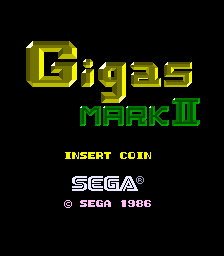
Arcade — EmulatorJS controls
Default Player 1 keyboard mapping. Change keys in Controller Settings.
| Console button | Keyboard |
|---|---|
| ↑ / ↓ / ← / → | ↑ / ↓ / ← / → |
| RetroPad A / B / X / Y | Z / X / A / S |
| L / R | Q / E |
| Insert coin | V |
| START | Enter |
Open Controller Settings to configure your keyboard or gamepad. Touch controls are available on mobile.
How to Play Gigas Mark II (bootleg)
Quick start
- Launch the ball into the target formation.
- Move the paddle beneath its return path.
- Open a route into the remaining targets.
- Keep the ball in play until the stage is clear.
Controls
Use the spinner or Left and Right controls to move the paddle. Use the action inputs to launch the ball and activate an available playfield action; their physical assignment is not inferred from generic labels.
Gigas Mark II (bootleg) — About this game
Break targets across successive paddle-and-ball stages. Return the ball to clear each playfield's formation. The immediate objective is to read the current playfield, use the available movement and action inputs deliberately, and preserve enough space or safety to complete the stage before the next hazard or piece arrives.
Cheats
No cheats have been added for this edition.
Player verification and sources
Browser play was reviewed before this edition was published in the catalogue. The date below is the catalogue publication date, not the game’s original release date.
- Browser test and catalogue publication date
- Browsers and devices
- PC: Chrome, Edge and Firefox. Mobile: Chrome on Android and Safari on iPhone and iPad.
- Player engine and core
- EmulatorJS 4.3.0-pre · arcade
- Tested by
- rwEmulator
Sources and editorial basis
rwEmulator reviews edition metadata, release information, game manuals and first-hand browser-play notes. Available manuals are linked below; the editorial policy explains how facts are checked and corrections are handled.