More browsing paths
Play Crash Bandicoot: The Huge Adventure (Translation · Russian) Online
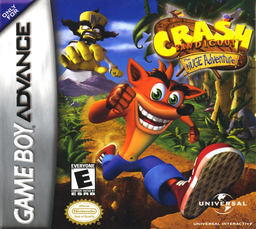
Crash Bandicoot: The Huge Adventure (RU translation, RUS-05282)
Play Crash Bandicoot: The Huge Adventure online for free in your browser. Enjoy this GBA game with no emulator installation needed. Click Play now to start.
Browser play
Game Boy Advance (GBA) — EmulatorJS controls
Default Player 1 keyboard mapping. Change keys in Controller Settings.
| Console button | Keyboard |
|---|---|
| ↑ / ↓ / ← / → | ↑ / ↓ / ← / → |
| A / B | Z / X |
| L / R | Q / E |
| START / SELECT | Enter / V |
Open Controller Settings to configure your keyboard or gamepad. Touch controls are available on mobile.
How to Play Crash Bandicoot: The Huge Adventure
Quick start
Выберите язык и после вступления нажмите START, чтобы попасть в первую Warp Room. Откройте Jungle Jam, разбивайте ящики, сбивайте ящериц и фиолетовые растения вращением, перепрыгивайте водопады, отмечайтесь на контрольных точках и возьмите кристалл в конце. Все ящики дают белый самоцвет.
Controls
Крестовина — движение; A — прыжок; B — вращение; влево/вправо+R — подкат; вниз или R — присесть; R на вершине прыжка — удар телом; SELECT — ящики, жизни и Wumpa; START — пауза, а в Warp Room — сохранение. После боссов открываются новые приёмы.
Crash Bandicoot: The Huge Adventure Game manuals
Cheats
No cheats have been added for this edition.
Player verification and sources
Browser play was reviewed before this edition was published in the catalogue. The date below is the catalogue publication date, not the game’s original release date.
- Browser test and catalogue publication date
- Browsers and devices
- PC: Chrome, Edge and Firefox. Mobile: Chrome on Android and Safari on iPhone and iPad.
- Player engine and core
- EmulatorJS 4.3.0-pre · gba
- Tested by
- rwEmulator
Sources and editorial basis
rwEmulator reviews edition metadata, release information, game manuals and first-hand browser-play notes. Available manuals are linked below; the editorial policy explains how facts are checked and corrections are handled.