More browsing paths
Play Traysia (Translation · Simplified Chinese) Online
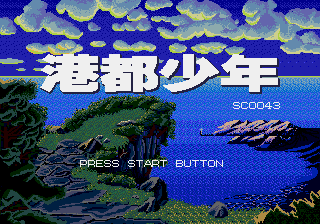
港都少年
Play Traysia online. Traveling with young Roy to Hong Kong, gathering partners, organizing equipment and magic, and taking risks in round-based combat with moving positions.
Browser play
Sega Genesis / Mega Drive — EmulatorJS controls
Default Player 1 keyboard mapping. Change keys in Controller Settings.
| Console button | Keyboard |
|---|---|
| ↑ / ↓ / ← / → | ↑ / ↓ / ← / → |
| A / B / C | S / X / Z |
| X / Y / Z | Q / A / E |
| START / MODE | Enter / V |
Open Controller Settings to configure your keyboard or gamepad. Touch controls are available on mobile.
How to Play Traysia
Quick start
Before leaving the port, you talk to all residents, investigate items and buy basic equipment. Open the camp, press C, equip the camp, and check the state, magic, and retrieving props. The fight takes place on small sites, choosing from swords, staff, helmets, boots icons, attack, magic, move/defence or escape, allowing the close-off members to reach a good distance and leave their vulnerable companions behind.
Controls
Direction: Move, select command and target. A: Talk, investigate, confirm, and select within the camp. B: Cancel/Return. C: Open the camp, see the status, props, magic, and equipment. START does not work. Fighting swords, staff, helmets, boots represent attack, magic, movement/default, escape.
Traysia Game manuals
Cheats
No cheats have been added for this edition.
Player verification and sources
Browser play was reviewed before this edition was published in the catalogue. The date below is the catalogue publication date, not the game’s original release date.
- Browser test and catalogue publication date
- Browsers and devices
- PC: Chrome, Edge and Firefox. Mobile: Chrome on Android and Safari on iPhone and iPad.
- Player engine and core
- EmulatorJS 4.3.0-pre · segaMD
- Tested by
- rwEmulator
Sources and editorial basis
rwEmulator reviews edition metadata, release information, game manuals and first-hand browser-play notes. Available manuals are linked below; the editorial policy explains how facts are checked and corrections are handled.