More browsing paths
Play Monster World IV (Translation · 重制汉化版 · Traditional Chinese) Online
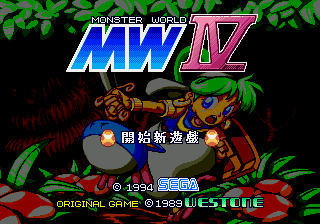
怪物世界4
Play Monster World IV online. Play the young Assa explores the colour tower, strengthens the sword and the defense, and uses the Pedro Gou, glide, jump and activates the machine.
Browser play
Sega Genesis / Mega Drive — EmulatorJS controls
Default Player 1 keyboard mapping. Change keys in Controller Settings.
| Console button | Keyboard |
|---|---|
| ↑ / ↓ / ← / → | ↑ / ↓ / ← / → |
| A / B / C | S / X / Z |
| X / Y / Z | Q / A / E |
| START / MODE | Enter / V |
Open Controller Settings to configure your keyboard or gamepad. Touch controls are available on mobile.
How to Play Monster World IV
Quick start
First, you explore the town of Rapatana, buy swords and defenses, and then you talk to the inhabitants before entering the first tower. B-swords, C-jumps, and, when safe, you can stab down. Pepelogu joins, then press A and picks him up, throws him to the switch or slides; and then you jump on C-2. Return to the palace and use the coin and life trackers to improve your viability.
Controls
Keys: Move, Crawl, Climb, and press the line. B: Swords, and drop fast on the rope. C: Jump, Pedro gliding again in two. Hold on A: Call and hold on to Pepelogou; A: Throw forward. START: Set/state. Press up when you fold.
Monster World IV Game manuals
Cheats
No cheats have been added for this edition.
Player verification and sources
Browser play was reviewed before this edition was published in the catalogue. The date below is the catalogue publication date, not the game’s original release date.
- Browser test and catalogue publication date
- Browsers and devices
- PC: Chrome, Edge and Firefox. Mobile: Chrome on Android and Safari on iPhone and iPad.
- Player engine and core
- EmulatorJS 4.3.0-pre · segaMD
- Tested by
- rwEmulator
Sources and editorial basis
rwEmulator reviews edition metadata, release information, game manuals and first-hand browser-play notes. Available manuals are linked below; the editorial policy explains how facts are checked and corrections are handled.