More browsing paths
Play Lunar - Sanposuru Gakuen (Translation · Japan edition · Edition 147398) Online
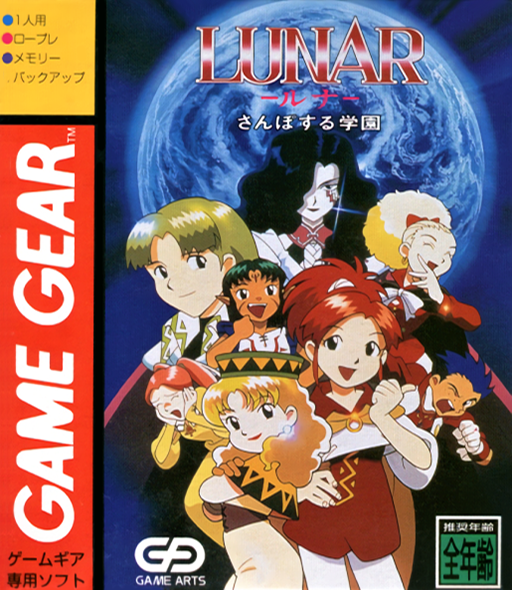
Lunar - Sanposuru Gakuen
Play Lunar - Sanposuru Gakuen online on Game Gear. Explore the magic school, talk to its residents and choose commands for each encounter.
Browser play
Sega Game Gear — EmulatorJS controls
Default Player 1 keyboard mapping. Change keys in Controller Settings.
| Console button | Keyboard |
|---|---|
| ↑ / ↓ / ← / → | ↑ / ↓ / ← / → |
| 1 / 2 | X / Z |
| START | Enter |
Open Controller Settings to configure your keyboard or gamepad. Touch controls are available on mobile.
How to Play Lunar - Sanposuru Gakuen
Quick start
At the title press 1 or 2 to open the save list, choose a new game and confirm with 2. Move with directions, use START for the menu, 2 to confirm and 1 to cancel.
Controls
Directions: movement and command choice. 2: confirm. 1: cancel. START: open menu. Use the save command before finishing your session.
Lunar - Sanposuru Gakuen — About this game
Lunar - Sanposuru Gakuen brings a school adventure to a handheld role-playing game. Move through the setting, speak to people and use their hints to decide where to go next. Battles ask you to choose actions rather than rush through movement inputs, so take time to read a command before confirming it. Treat exploration and recovery as part of the same routine: check your party before leaving a familiar area and save before ending the session. Learning the menu and the school’s layout first makes the later journey easier to follow.
Lunar - Sanposuru Gakuen Game manuals
Cheats
No cheats have been added for this edition.
Player verification and sources
Browser play was reviewed before this edition was published in the catalogue. The date below is the catalogue publication date, not the game’s original release date.
- Browser test and catalogue publication date
- Browsers and devices
- PC: Chrome, Edge and Firefox. Mobile: Chrome on Android and Safari on iPhone and iPad.
- Player engine and core
- EmulatorJS 4.3.0-pre · segaGG
- Tested by
- rwEmulator
Sources and editorial basis
rwEmulator reviews edition metadata, release information, game manuals and first-hand browser-play notes. Available manuals are linked below; the editorial policy explains how facts are checked and corrections are handled.