More browsing paths
Play Gradius (US edition · English) Online
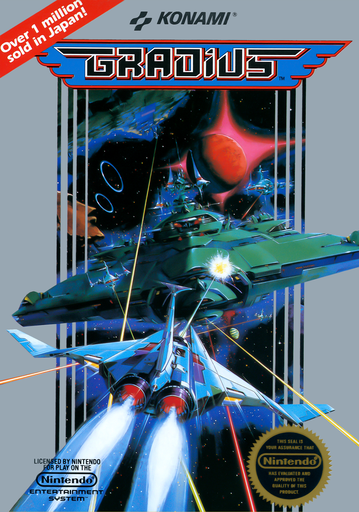
Gradius
Choose when to spend red capsules on speed, weapons, Options or a shield while surviving scrolling space battles.
Browser play
Nintendo Entertainment System (NES) / Famicom — EmulatorJS controls
Default Player 1 keyboard mapping. Change keys in Controllers Setting.
| Console button | Keyboard |
|---|---|
| ↑ / ↓ / ← / → | ↑ / ↓ / ← / → |
| A / B | Z / X |
| START / SELECT | Enter / V |
Open Controllers Setting to configure your keyboard or gamepad. Touch controls are available on mobile.
How to Play Gradius
Quick start
Choose 1 PLAYER with SELECT and press START. Move away from terrain and use A to fire at the opening enemies. Collect a red capsule, check which power-bar item is lit and press B only when that upgrade is the one you want.
Controls
D-pad: fly in four directions. A: fire the equipped guns and missile. B: activate the highlighted power-bar upgrade. SELECT: choose one or two players at the title. START: start, pause or resume. Two-player mode alternates between controllers after a ship is lost.
Gradius — About this game
Gradius makes upgrading part of the fight. Destroy selected enemies or an entire formation to expose red capsules, then collect enough to move the highlight along the power bar. Pressing B purchases the highlighted ability, so taking a quick speed boost and waiting for a later weapon lead to different routes through the same attack. Missiles cover ground targets, Double adds an upward shot and Laser offers a piercing beam; Double and Laser cannot be equipped together. Up to two Options follow your movements and copy your firepower. The question-mark upgrade supplies a shield, while blue capsules wipe out weak enemies on screen. Your remaining ships must survive enemy fire, rock formations and bosses across the scrolling stages. Two players alternate attempts, making this a separate-turn score challenge rather than a shared flight.
Cheats
No cheats have been added for this edition.