More browsing paths
Play Little Nemo: The Dream Master (Europe edition · English) Online
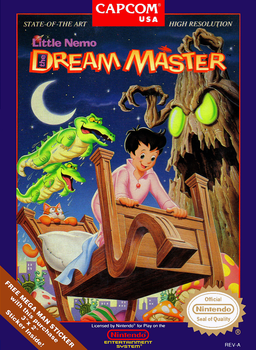
Little Nemo - The Dream Master
Feed friendly creatures and borrow their abilities to find the keys scattered through Nemo’s dreams.
Browser play
Nintendo Entertainment System (NES) / Famicom — EmulatorJS controls
Default Player 1 keyboard mapping. Change keys in Controllers Setting.
| Console button | Keyboard |
|---|---|
| ↑ / ↓ / ← / → | ↑ / ↓ / ← / → |
| A / B | Z / X |
| START / SELECT | Enter / V |
Open Controllers Setting to configure your keyboard or gamepad. Touch controls are available on mobile.
How to Play Little Nemo: The Dream Master
Quick start
Press START at the title to enter Mushroom Forest. Find the frog, feed it three candies and touch it when asleep to use its jump. Look for keys before going to the locked exit; SELECT returns you to Nemo when another creature is needed.
Controls
Pad: move; down crouches, while animal forms may swim or climb with directions. A: jump, with flight for the flying form. B: throw candy as Nemo or use an animal’s available attack. SELECT: leave the animal form. START: pause/resume.
Little Nemo: The Dream Master — About this game
Nemo begins with a small jump and a supply of candy, not a weapon that clears every enemy. Candy briefly stuns hostile creatures, while suitable animals eat three pieces and fall asleep so that he can ride or become them. A high-jumping frog, a burrowing mole or a flying insect turns a previously unreachable part of the dream into a possible route.
Most dreams ask you to gather the keys needed at the exit, which means searching above and below the obvious path rather than simply moving right. Different animals solve different terrain problems; leave one form when another ability is required. The final nightmare changes the emphasis toward wand combat, so it should not be described as another ordinary key hunt. In the opening forest, learning what candy actually does is the first useful objective.
Cheats
No cheats have been added for this edition.