More browsing paths
Play Solomon's Key (Japan edition · Japanese) Online
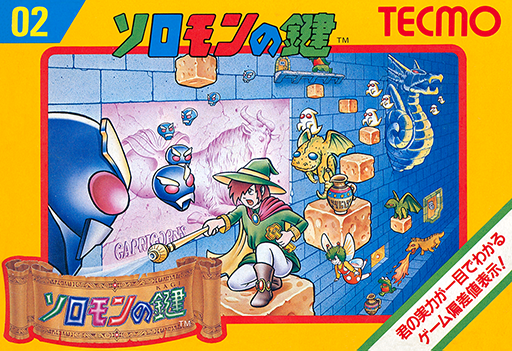
Solomon no Kagi
Build and erase blocks to reach a key and escape each room before Dana’s life timer runs out.
Browser play
Nintendo Entertainment System (NES) / Famicom — EmulatorJS controls
Default Player 1 keyboard mapping. Change keys in Controllers Setting.
| Console button | Keyboard |
|---|---|
| ↑ / ↓ / ← / → | ↑ / ↓ / ← / → |
| A / B | Z / X |
| START / SELECT | Enter / V |
Open Controllers Setting to configure your keyboard or gamepad. Touch controls are available on mobile.
How to Play Solomon's Key
Quick start
Press START. In the first room, practice Up to jump and A to make a step, then plan a path to the key and unlocked door. Avoid wasting fireballs. On the Game Over GDV screen, hold Up+A+B to continue; progress beyond Room 41 returns to Room 41.
Controls
Left/Right: walk. Up: jump; Up+Left/Right: diagonal jump. Down: crouch, then diagonal down to crawl. A: create/remove stone; Down+A works below Dana. B: stocked fireball. START: start/pause/resume. SELECT: unused.
Solomon's Key — About this game
Every room is a small construction puzzle played under pressure. Dana can place or remove ordinary stones in front of himself or below his crouching position, creating steps, bridges and openings as the situation changes. Fixed white stones cannot be altered, so the route must respect the room’s permanent structure. Monsters follow different movement patterns; removing a supporting block can drop some of them, while a stocked fireball offers another way to clear danger. Fireballs are limited by the scroll reserve, unlike ordinary block magic, so saving one for a tight passage can help. The key opens the exit but does not solve the journey to it. Fairies, hidden items and lost magic pages reward careful investigation beyond the shortest escape route, and secrets can change the ending.
Cheats
No cheats have been added for this edition.