More browsing paths
Play 1001 Crosswords (Europe edition · English) Online
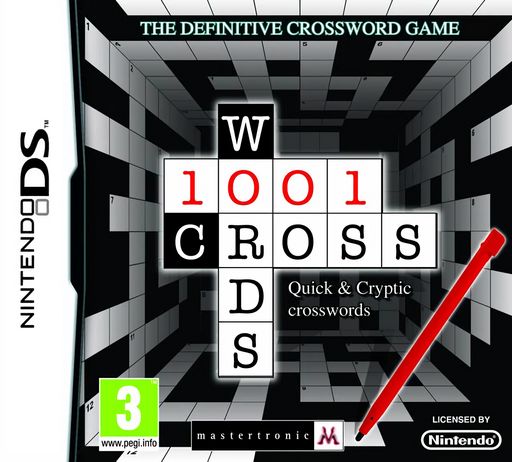
1001 Crosswords
Play 1001 Crosswords online. Solve Quick and Cryptic crosswords from British newspapers, entering answers with the touch-screen keyboard or your own handwriting.
Browser play
Nintendo DS (NDS) — EmulatorJS controls
Default Player 1 keyboard mapping. Change keys in Controller Settings.
| Console button | Keyboard |
|---|---|
| ↑ / ↓ / ← / → | ↑ / ↓ / ← / → |
| A / B / X / Y | Z / X / A / S |
| L / R | Q / E |
| START / SELECT | Enter / V |
| Microphone | Not assigned |
Open Controller Settings to configure your keyboard or gamepad. Touch controls are available on mobile.
How to Play 1001 Crosswords
Quick start
Choose an available Quick crossword for your first session. Read a clue, check the answer length and select its entry in the grid. Type letters on the screen keyboard or write them with the stylus. Fill the answers you know first, then use crossing letters to revisit the harder clues. Once familiar with entering and changing answers, try a Cryptic grid and look for wordplay in its clues.
Controls
DS: use the stylus to select the crossword and an answer entry. Enter letters with the built-in touch-screen keyboard or the handwriting option. Check the selected clue and crossing letters before continuing, and use the game's displayed editing controls when an entry needs changing.
1001 Crosswords — About this game
1001 Crosswords focuses on a large collection of British newspaper-style grids rather than mixing in unrelated puzzle games. Quick clues test vocabulary and direct associations, while Cryptic clues ask you to look for wordplay as well as meaning. Each solved entry supplies crossing letters that can make another clue easier, so moving around the grid is often more useful than guessing repeatedly at one answer. The DS offers two ways to enter letters: an on-screen keyboard or handwriting with the stylus. You can choose the method that feels clearer and keep checking that the letters match the clue and available spaces. The appeal lies in working through the grid a few connected answers at a time.
1001 Crosswords Game manuals
Cheats
No cheats have been added for this edition.
Player verification and sources
Browser play was reviewed before this edition was published in the catalogue. The date below is the catalogue publication date, not the game’s original release date.
- Browser test and catalogue publication date
- Browsers and devices
- PC: Chrome, Edge and Firefox. Mobile: Chrome on Android and Safari on iPhone and iPad.
- Player engine and core
- EmulatorJS 4.3.0-pre · nds
- Tested by
- rwEmulator
Sources and editorial basis
rwEmulator reviews edition metadata, release information, game manuals and first-hand browser-play notes. Available manuals are linked below; the editorial policy explains how facts are checked and corrections are handled.