More browsing paths
Play 1001 Touch Games (US edition · English) Online
1001 Touch Games
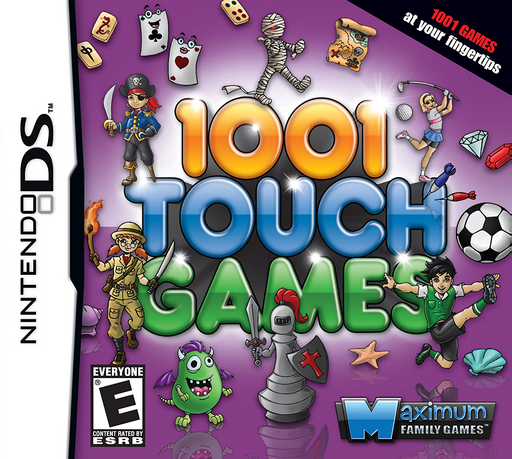
Play 1001 Touch Games online. Explore touch-driven puzzles, cards and arcade games, with variants across the collection. Explore the Nintendo DS gameplay and controls.
Browser play
Nintendo DS (NDS) — EmulatorJS controls
Default Player 1 keyboard mapping. Change keys in Controller Settings.
| Console button | Keyboard |
|---|---|
| ↑ / ↓ / ← / → | ↑ / ↓ / ← / → |
| A / B / X / Y | Z / X / A / S |
| L / R | Q / E |
| START / SELECT | Enter / V |
| Microphone | Not assigned |
Open Controller Settings to configure your keyboard or gamepad. Touch controls are available on mobile.
How to Play 1001 Touch Games
Quick start
Choose a genre from the touch menu, then select an activity and read its objective. For a card puzzle, try Pokerface: place falling cards into five columns and aim to complete a scoring five-card hand. A flush uses cards of the same suit. When a hand scores and clears, use the space for the next cards.
Controls
Use the stylus for menus and the selected game's touch controls. In Pokerface, direct cards into the five columns to assemble hands; scoring combinations clear a column. Other games use different inputs, so follow their own instructions rather than using the card controls everywhere.
1001 Touch Games — About this game
1001 Touch Games packs board games, card challenges, hidden-object scenes and arcade-style diversions into one Nintendo DS selection. Its large total includes variations, layouts and difficulty settings, so discovering the different rules matters more than counting icons. Genre menus help you find familiar ideas, while random selection offers another way to pick a short session. Pokerface turns falling cards into a scoring puzzle: distribute them among five columns, build five-card hands and clear completed combinations to make room for the next cards.
1001 Touch Games Game manuals
Cheats
No cheats have been added for this edition.
Player verification and sources
Browser play was reviewed before this edition was published in the catalogue. The date below is the catalogue publication date, not the game’s original release date.
- Browser test and catalogue publication date
- Browsers and devices
- PC: Chrome, Edge and Firefox. Mobile: Chrome on Android and Safari on iPhone and iPad.
- Player engine and core
- EmulatorJS 4.3.0-pre · nds
- Tested by
- rwEmulator
Sources and editorial basis
rwEmulator reviews edition metadata, release information, game manuals and first-hand browser-play notes. Available manuals are linked below; the editorial policy explains how facts are checked and corrections are handled.