More browsing paths
Play The Adventures of Jimmy Neutron Boy Genius: Attack of the Twonkies (Europe edition) Online
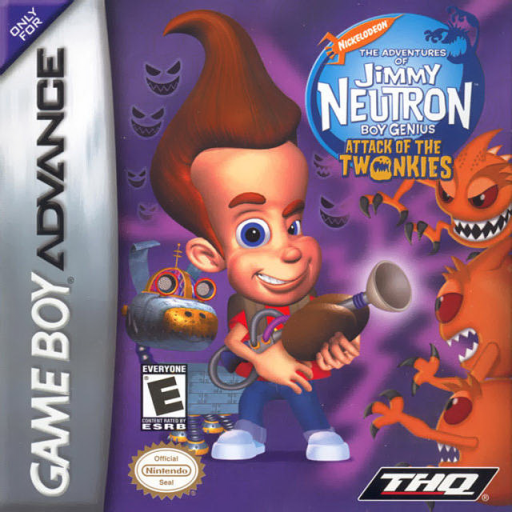
The Adventures of Jimmy Neutron Boy Genius: Attack of the Twonkies
Play Attack of the Twonkies online and combine inventions, Goddard commands and platform skills across 2D stages and 3D action sequences on GBA.
Browser play
Game Boy Advance (GBA) — EmulatorJS controls
Default Player 1 keyboard mapping. Change keys in Controller Settings.
| Console button | Keyboard |
|---|---|
| ↑ / ↓ / ← / → | ↑ / ↓ / ← / → |
| A / B | Z / X |
| L / R | Q / E |
| START / SELECT | Enter / V |
Open Controller Settings to configure your keyboard or gamepad. Touch controls are available on mobile.
How to Play The Adventures of Jimmy Neutron Boy Genius: Attack of the Twonkies
Quick start
Choose New Game and an empty one of the three save slots. Use the early prompts to learn each invention, open the Inventerface when unsure, and cycle gadgets with L/R to match the obstacle. Be ready for the different button roles when a 3D driving or shooting section starts.
Controls
2D stages — D-Pad: walk/climb/crouch or use switches; double-tap Left/Right: run; A: jump (double-jump with the boots); B: use invention or slide while moving; L/R: previous/next invention; L+R: Goddard Command Menu; SELECT: Inventerface; START: pause. 3D stages — D-Pad moves, A fires/grapples/accelerates, B brakes or fires the blaster, L/R dodge.
The Adventures of Jimmy Neutron Boy Genius: Attack of the Twonkies Game manuals
- Adventures of Jimmy Neutron Boy Genius, The - Attack of the Twonkies.pdf
- Adventures of Jimmy Neutron Boy Genius, The - Attack of the Twonkies (en).pdf
- Adventures of Jimmy Neutron Boy Genius, The - Attack of the Twonkies (USA).pdf
- Adventures Of Jimmy Neutron Boy Genius, The - Attack Of The Twonkies [AGB-BF2E-USA] [French] Manual.pdf
- Adventures of Jimmy Neutron Boy Genius, The - Attack of the Twonkies (fr).pdf
Cheats
No cheats have been added for this edition.
Player verification and sources
Browser play was reviewed before this edition was published in the catalogue. The date below is the catalogue publication date, not the game’s original release date.
- Browser test and catalogue publication date
- Browsers and devices
- PC: Chrome, Edge and Firefox. Mobile: Chrome on Android and Safari on iPhone and iPad.
- Player engine and core
- EmulatorJS 4.3.0-pre · gba
- Tested by
- rwEmulator
Sources and editorial basis
rwEmulator reviews edition metadata, release information, game manuals and first-hand browser-play notes. Available manuals are linked below; the editorial policy explains how facts are checked and corrections are handled.
- Adventures of Jimmy Neutron Boy Genius, The - Attack of the Twonkies.pdf
- Adventures of Jimmy Neutron Boy Genius, The - Attack of the Twonkies (en).pdf
- Adventures of Jimmy Neutron Boy Genius, The - Attack of the Twonkies (USA).pdf
- Adventures Of Jimmy Neutron Boy Genius, The - Attack Of The Twonkies [AGB-BF2E-USA] [French] Manual.pdf
- Adventures of Jimmy Neutron Boy Genius, The - Attack of the Twonkies (fr).pdf