More browsing paths
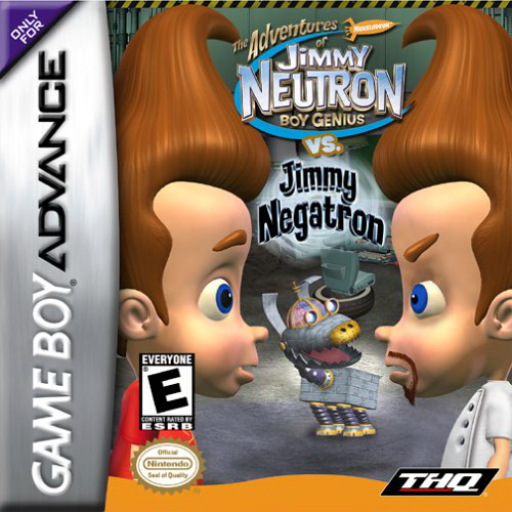
Play The Adventures of Jimmy Neutron: Boy Genius vs. Jimmy Negatron (Europe edition) Online
The Adventures of Jimmy Neutron vs. Jimmy Negatron
Play Jimmy Neutron vs. Jimmy Negatron online and complete ten GBA adventures by collecting assignments, investigating clues and using inventions.
Browser play
Game Boy Advance (GBA) — EmulatorJS controls
Default Player 1 keyboard mapping. Change keys in Controller Settings.
| Console button | Keyboard |
|---|---|
| ↑ / ↓ / ← / → | ↑ / ↓ / ← / → |
| A / B | Z / X |
| L / R | Q / E |
| START / SELECT | Enter / V |
Open Controller Settings to configure your keyboard or gamepad. Touch controls are available on mobile.
How to Play The Adventures of Jimmy Neutron: Boy Genius vs. Jimmy Negatron
Quick start
Select New Game using the blue neutron icon. After Miss Foul’s introduction, explore the Park, speak to people for hints and step on question-mark spaces for assignments. At a gateway press A, choose one of the available numbered paths, and use the shrinking ray only where the level calls for it.
Controls
Control Pad Up/Down: forwards/backwards; Left/Right: turn; A: jump/interact; B: shrinking ray, or choose Jimmy/Goddard at an entrance; hold R + Up/Down: camera; hold L + Left/Right: sidestep; START: Options/pause. Control Pad and A operate menus; B goes back.
The Adventures of Jimmy Neutron: Boy Genius vs. Jimmy Negatron Game manuals
Cheats
No cheats have been added for this edition.
Player verification and sources
Browser play was reviewed before this edition was published in the catalogue. The date below is the catalogue publication date, not the game’s original release date.
- Browser test and catalogue publication date
- Browsers and devices
- PC: Chrome, Edge and Firefox. Mobile: Chrome on Android and Safari on iPhone and iPad.
- Player engine and core
- EmulatorJS 4.3.0-pre · gba
- Tested by
- rwEmulator
Sources and editorial basis
rwEmulator reviews edition metadata, release information, game manuals and first-hand browser-play notes. Available manuals are linked below; the editorial policy explains how facts are checked and corrections are handled.