More browsing paths
Play AirForce Delta Storm (US edition) Online
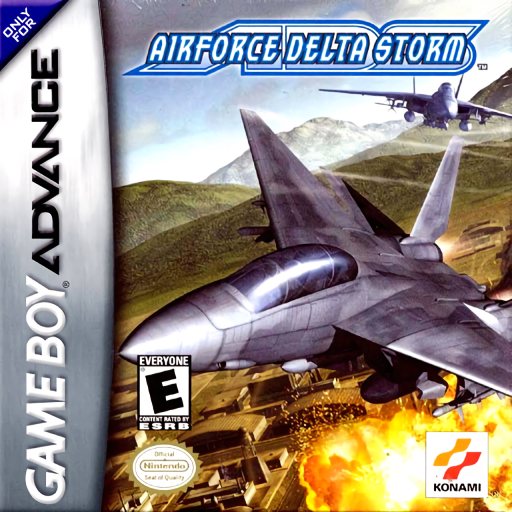
AirForce Delta Storm
Play AirForce Delta Storm online and fly GBA combat missions with multiple fighters, target switching, missiles, cannon fire, airbrakes and afterburner.
Browser play
Game Boy Advance (GBA) — EmulatorJS controls
Default Player 1 keyboard mapping. Change keys in Controller Settings.
| Console button | Keyboard |
|---|---|
| ↑ / ↓ / ← / → | ↑ / ↓ / ← / → |
| A / B | Z / X |
| L / R | Q / E |
| START / SELECT | Enter / V |
Open Controller Settings to configure your keyboard or gamepad. Touch controls are available on mobile.
How to Play AirForce Delta Storm
Quick start
Press START and choose New Game, then select Easy, Normal or Hard. Use Tutorial before the campaign to practise locking on and destroying aircraft with the machine gun; afterwards select the first available mission, read its briefing and attack the marked targets while watching altitude and damage.
Controls
Type A flight controls — D-Pad: pitch/turn the aircraft; A: machine gun; B: missile; L: airbrake; R: afterburner; SELECT: switch target; L+R: level the aircraft; START: pause. Menus use D-Pad, A to enter and B to go back. Type B and customised layouts are available in Options.
AirForce Delta Storm — About this game
A top-down combat-flight shooter with missiles, machine guns, radar, altitude and fuel management.
AirForce Delta Storm Game manuals
Cheats
No cheats have been added for this edition.
Player verification and sources
Browser play was reviewed before this edition was published in the catalogue. The date below is the catalogue publication date, not the game’s original release date.
- Browser test and catalogue publication date
- Browsers and devices
- PC: Chrome, Edge and Firefox. Mobile: Chrome on Android and Safari on iPhone and iPad.
- Player engine and core
- EmulatorJS 4.3.0-pre · gba
- Tested by
- rwEmulator
Sources and editorial basis
rwEmulator reviews edition metadata, release information, game manuals and first-hand browser-play notes. Available manuals are linked below; the editorial policy explains how facts are checked and corrections are handled.