More browsing paths
Play Akai Ito Destiny DS (Japan edition · Japanese) Online
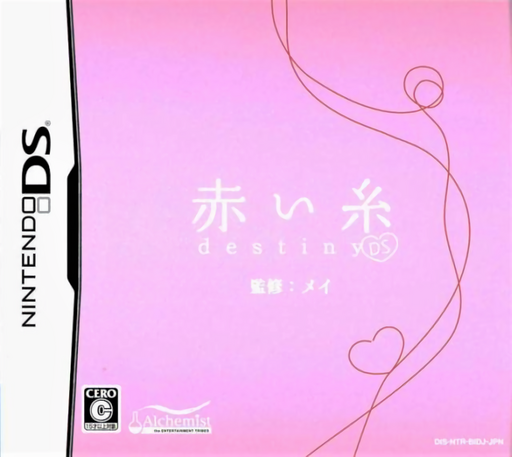
Akai Ito Destiny DS
Play Akai Ito Destiny DS online. Continue Mei’s later school years and shape the next chapter of her relationships. Learn how to begin and use the Nintendo DS menus.
Browser play
Nintendo DS (NDS) — EmulatorJS controls
Default Player 1 keyboard mapping. Change keys in Controller Settings.
| Console button | Keyboard |
|---|---|
| ↑ / ↓ / ← / → | ↑ / ↓ / ← / → |
| A / B / X / Y | Z / X / A / S |
| L / R | Q / E |
| START / SELECT | Enter / V |
| Microphone | Not assigned |
Open Controller Settings to configure your keyboard or gamepad. Touch controls are available on mobile.
How to Play Akai Ito Destiny DS
Quick start
Start the sequel’s story and read how Mei’s later school life begins. Pay attention to the existing relationships introduced before the first choice. Save at a turning point before exploring a different response.
Controls
Use the displayed text controls to advance conversations. Select a dialogue option with the stylus and confirm it on screen. Open the menu to save or load a story position. Read all offered replies before choosing.
Akai Ito Destiny DS — About this game
Akai Ito Destiny DS continues the first DS story from Mei’s second year of high school through the period just after graduation. Her relationship with Akkun, a reunion with Takachan and bonds between parents and children broaden the drama beyond an initial romance. The adaptation adds three endings alongside the original story’s course. Everyone except Mei is fully voiced. Follow what each reunion means after the earlier events, then choose responses that reflect the relationship you want to explore. Saving at a turning point makes it easier to compare conclusions without losing the path you first followed.
Akai Ito Destiny DS Game manuals
Cheats
No cheats have been added for this edition.
Player verification and sources
Browser play was reviewed before this edition was published in the catalogue. The date below is the catalogue publication date, not the game’s original release date.
- Browser test and catalogue publication date
- Browsers and devices
- PC: Chrome, Edge and Firefox. Mobile: Chrome on Android and Safari on iPhone and iPad.
- Player engine and core
- EmulatorJS 4.3.0-pre · nds
- Tested by
- rwEmulator
Sources and editorial basis
rwEmulator reviews edition metadata, release information, game manuals and first-hand browser-play notes. Available manuals are linked below; the editorial policy explains how facts are checked and corrections are handled.