More browsing paths
Play All Star Cheer Squad (US edition) Online
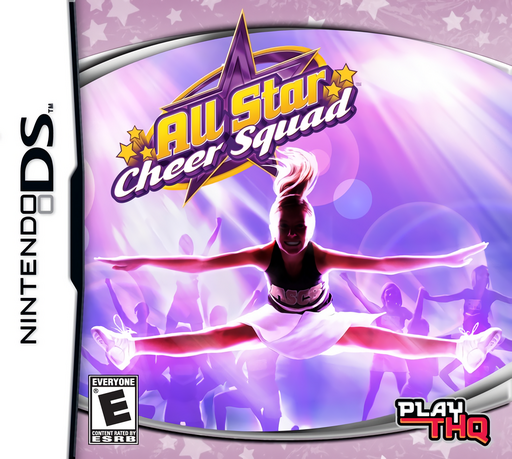
All Star Cheer Squad
Play All Star Cheer Squad online. Create a cheerleader and balance camp life, training and stylus routines. Learn how to start and use the original Nintendo DS controls.
Browser play
Nintendo DS (NDS) — EmulatorJS controls
Default Player 1 keyboard mapping. Change keys in Controller Settings.
| Console button | Keyboard |
|---|---|
| ↑ / ↓ / ← / → | ↑ / ↓ / ← / → |
| A / B / X / Y | Z / X / A / S |
| L / R | Q / E |
| START / SELECT | Enter / V |
| Microphone | Not assigned |
Open Controller Settings to configure your keyboard or gamepad. Touch controls are available on mobile.
How to Play All Star Cheer Squad
Quick start
Create your cheerleader, meet your cousin and complete the early rival challenge as a control tutorial. After meeting your dorm mates, open the schedule and check the next activity and destination.
Controls
Use the Control Pad to walk. Tap the map, choose a destination and tap its star to travel. In routines, tap green balls inside the small circles; tap numbered balls the shown number of times and swipe when the central circle prompts you.
All Star Cheer Squad — About this game
Your first day at cheer camp mixes conversations with coaches and other cheerleaders, practice sessions and head-to-head routines. Customize your character, follow the daily schedule and improve her skills in training activities. During performances, watch green markers enter their target circles and respond with well-timed taps or swipes. Camp exploration connects the competitions and gives you places to visit between events.
All Star Cheer Squad Game manuals
Cheats
No cheats have been added for this edition.
Player verification and sources
Browser play was reviewed before this edition was published in the catalogue. The date below is the catalogue publication date, not the game’s original release date.
- Browser test and catalogue publication date
- Browsers and devices
- PC: Chrome, Edge and Firefox. Mobile: Chrome on Android and Safari on iPhone and iPad.
- Player engine and core
- EmulatorJS 4.3.0-pre · nds
- Tested by
- rwEmulator
Sources and editorial basis
rwEmulator reviews edition metadata, release information, game manuals and first-hand browser-play notes. Available manuals are linked below; the editorial policy explains how facts are checked and corrections are handled.