More browsing paths
Play Alvin and the Chipmunks: Chipwrecked (US edition · English / French) Online
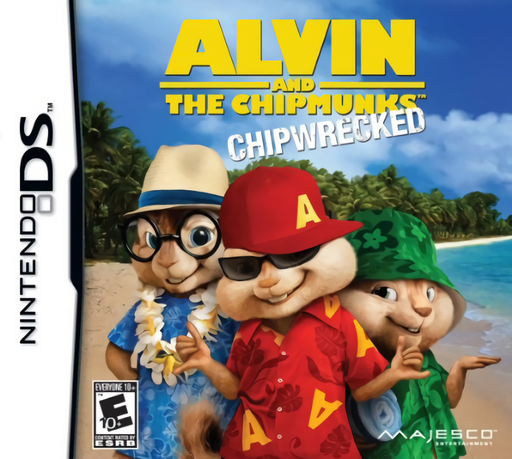
Alvin and the Chipmunks - Chipwrecked
Play Alvin and the Chipmunks: Chipwrecked online. Trace dance patterns and swap performers with the Chipmunks and Chipettes. Learn how to start and use the original Nintendo DS controls.
Browser play
Nintendo DS (NDS) — EmulatorJS controls
Default Player 1 keyboard mapping. Change keys in Controller Settings.
| Console button | Keyboard |
|---|---|
| ↑ / ↓ / ← / → | ↑ / ↓ / ← / → |
| A / B / X / Y | Z / X / A / S |
| L / R | Q / E |
| START / SELECT | Enter / V |
| Microphone | Not assigned |
Open Controller Settings to configure your keyboard or gamepad. Touch controls are available on mobile.
How to Play Alvin and the Chipmunks: Chipwrecked
Quick start
Answer the opening questions to receive a suggested Chipmunk or Chipette, then begin the story or a quick dance. You can change the character later. In the first song, watch which dancer needs the next move before tracing its pattern.
Controls
Use the stylus to trace the shapes and symbols before they disappear. Switch between the dancers when required so the correct performer takes the dance position. In solo sections, follow the pose shown by the silhouette.
Alvin and the Chipmunks: Chipwrecked — About this game
This DS dance game brings six familiar performers to stages such as a ship cabin, jungle and tropical treehouse. Follow the temporary shapes and symbols on the touch screen and switch dancers to put the correct character into the routine. Story mode follows the group toward the International Music Awards, while quick play goes straight to dancing. Strong performances earn awards and unlock trophies, with outfits adding another way to customize the cast.
Alvin and the Chipmunks: Chipwrecked Game manuals
Cheats
No cheats have been added for this edition.
Player verification and sources
Browser play was reviewed before this edition was published in the catalogue. The date below is the catalogue publication date, not the game’s original release date.
- Browser test and catalogue publication date
- Browsers and devices
- PC: Chrome, Edge and Firefox. Mobile: Chrome on Android and Safari on iPhone and iPad.
- Player engine and core
- EmulatorJS 4.3.0-pre · nds
- Tested by
- rwEmulator
Sources and editorial basis
rwEmulator reviews edition metadata, release information, game manuals and first-hand browser-play notes. Available manuals are linked below; the editorial policy explains how facts are checked and corrections are handled.