More browsing paths
Play America's Next Top Model (US edition · English) Online
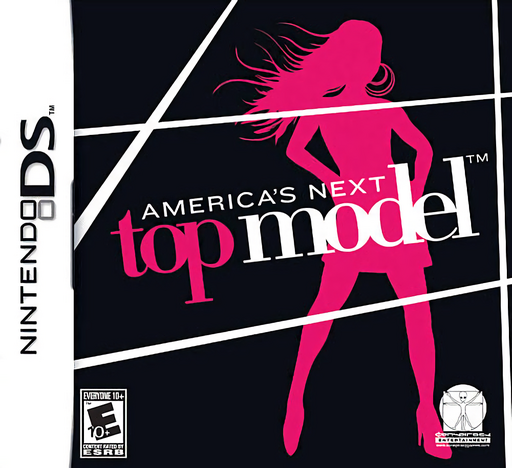
America's Next Top Model
Play America's Next Top Model online and explore its Nintendo DS gameplay. Practise outfits, makeup, runway timing and poses through a weekly modelling schedule. See how to start and use the original controls.
Browser play
Nintendo DS (NDS) — EmulatorJS controls
Default Player 1 keyboard mapping. Change keys in Controller Settings.
| Console button | Keyboard |
|---|---|
| ↑ / ↓ / ← / → | ↑ / ↓ / ← / → |
| A / B / X / Y | Z / X / A / S |
| L / R | Q / E |
| START / SELECT | Enter / V |
| Microphone | Not assigned |
Open Controller Settings to configure your keyboard or gamepad. Touch controls are available on mobile.
How to Play America's Next Top Model
Quick start
Hold the DS sideways like a book and start the single-player competition. After the coach's introduction, review the week's schedule in the apartment and eat the required daily meal before leaving. Follow the first activity's brief, then watch its performance meter.
Controls
Use the stylus on the touch screen to choose clothing and makeup. Trace the displayed patterns within the time limit for poses. During catwalk tasks, tap in rhythm with the steps. These are the original DS touch controls; the two screens are arranged like facing book pages.
America's Next Top Model — About this game
The Nintendo DS adaptation organises a model's week around four activities: fashion, makeup, catwalk practice and photo shoots. Match an outfit to the brief, study a reference look and trace timed patterns to produce poses. Runway sections add a rhythm challenge, with well-timed touches keeping the walk on track. The apartment connects the schedule, coaching and portfolio, while the end-of-week presentation gives the routine a clear destination. It suits players interested in styling tasks and short touch-screen challenges.
America's Next Top Model Game manuals
Cheats
No cheats have been added for this edition.
Player verification and sources
Browser play was reviewed before this edition was published in the catalogue. The date below is the catalogue publication date, not the game’s original release date.
- Browser test and catalogue publication date
- Browsers and devices
- PC: Chrome, Edge and Firefox. Mobile: Chrome on Android and Safari on iPhone and iPad.
- Player engine and core
- EmulatorJS 4.3.0-pre · nds
- Tested by
- rwEmulator
Sources and editorial basis
rwEmulator reviews edition metadata, release information, game manuals and first-hand browser-play notes. Available manuals are linked below; the editorial policy explains how facts are checked and corrections are handled.