More browsing paths
Play American Dragon: Jake Long – Attack of the Dark Dragon (US edition · English / French / German / Spanish / Italian) Online
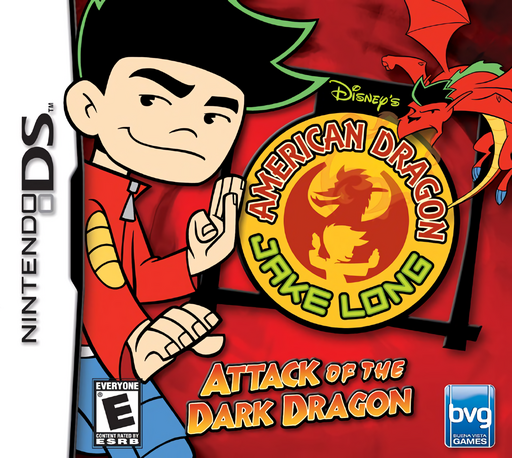
American Dragon - Jake Long - Attack of the Dark Dragon
Play American Dragon: Jake Long – Attack of the Dark Dragon online. Rescue Rose by switching from Jake’s street fighting to pendant-powered dragon attacks. Learn how to start and use the original Nintendo DS controls.
Browser play
Nintendo DS (NDS) — EmulatorJS controls
Default Player 1 keyboard mapping. Change keys in Controller Settings.
| Console button | Keyboard |
|---|---|
| ↑ / ↓ / ← / → | ↑ / ↓ / ← / → |
| A / B / X / Y | Z / X / A / S |
| L / R | Q / E |
| START / SELECT | Enter / V |
| Microphone | Not assigned |
Open Controller Settings to configure your keyboard or gamepad. Touch controls are available on mobile.
How to Play American Dragon: Jake Long – Attack of the Dark Dragon
Quick start
Choose single player and start a new game. In New York, follow Grandpa’s warning about trolls and practice jumping, punching and kicking. Collect the focus left by enemies; when the pendant flashes, touch its central dragon icon to transform.
Controls
Control Pad: move; B: jump, holding for more height as Jake; Y: punch or melee combo; A: kick as Jake; START: pause. Touch the full pendant’s center to transform. In Dragon Mode, drag the ring or hold L/R to select a power, then press X to use it.
American Dragon: Jake Long – Attack of the Dark Dragon — About this game
The Dark Dragon has captured Rose, and Grandpa gives Jake a magical pendant for the rescue. Begin on New York’s streets, fighting enemies and collecting the focus that powers your transformation. Once the pendant fills, Jake can become the American Dragon and use powers chosen from its rotating ring. Human and dragon forms share the platforming journey, but their attacks and available abilities differ, and Dragon Mode lasts only while focus remains.
American Dragon: Jake Long – Attack of the Dark Dragon Game manuals
Cheats
No cheats have been added for this edition.
Player verification and sources
Browser play was reviewed before this edition was published in the catalogue. The date below is the catalogue publication date, not the game’s original release date.
- Browser test and catalogue publication date
- Browsers and devices
- PC: Chrome, Edge and Firefox. Mobile: Chrome on Android and Safari on iPhone and iPad.
- Player engine and core
- EmulatorJS 4.3.0-pre · nds
- Tested by
- rwEmulator
Sources and editorial basis
rwEmulator reviews edition metadata, release information, game manuals and first-hand browser-play notes. Available manuals are linked below; the editorial policy explains how facts are checked and corrections are handled.