More browsing paths
Play Animal Planet: Vet Collection (US edition · English) Online
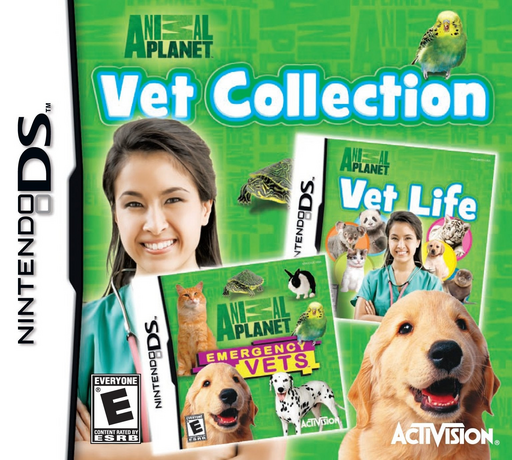
Animal Planet - Vet Collection
Play Animal Planet: Vet Collection online. Choose between two DS veterinary games with hospital cases, treatment tasks and aftercare. Learn how to start and use the original Nintendo DS controls.
Browser play
Nintendo DS (NDS) — EmulatorJS controls
Default Player 1 keyboard mapping. Change keys in Controller Settings.
| Console button | Keyboard |
|---|---|
| ↑ / ↓ / ← / → | ↑ / ↓ / ← / → |
| A / B / X / Y | Z / X / A / S |
| L / R | Q / E |
| START / SELECT | Enter / V |
| Microphone | Not assigned |
Open Controller Settings to configure your keyboard or gamepad. Touch controls are available on mobile.
How to Play Animal Planet: Vet Collection
Quick start
Choose Emergency Vets or Vet Life from the collection and follow that game’s opening guidance. Read the first task before selecting a tool. In a forceps activity, pick up the object, move it to the tray and lift the stylus to release it.
Controls
Use each game’s touch controls and tool prompts. In forceps tasks, grab an object, drag to the tray and lift the stylus to drop it. In Emergency Vets washing, select hose, soap or pat on the right, then drag over the animal or use a petting motion.
Animal Planet: Vet Collection — About this game
Vet Collection brings together Emergency Vets and Vet Life. Help the Alameda East Hospital team in the former, or work through Vet Life’s wider range of animals and care activities. Both turn veterinary situations into guided games, including touch-screen tool use and interaction after treatment. The collection gives you two sets of cases and their own instructions, so the tool shown by the selected game matters more than memorizing one shared routine.
Animal Planet: Vet Collection Game manuals
Cheats
No cheats have been added for this edition.
Player verification and sources
Browser play was reviewed before this edition was published in the catalogue. The date below is the catalogue publication date, not the game’s original release date.
- Browser test and catalogue publication date
- Browsers and devices
- PC: Chrome, Edge and Firefox. Mobile: Chrome on Android and Safari on iPhone and iPad.
- Player engine and core
- EmulatorJS 4.3.0-pre · nds
- Tested by
- rwEmulator
Sources and editorial basis
rwEmulator reviews edition metadata, release information, game manuals and first-hand browser-play notes. Available manuals are linked below; the editorial policy explains how facts are checked and corrections are handled.