More browsing paths
Play Apollo Justice: Ace Attorney (US edition · English) Online
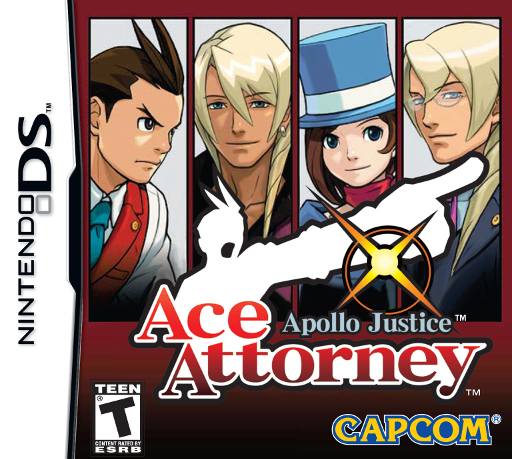
Apollo Justice - Ace Attorney
Play Apollo Justice: Ace Attorney online. Take Apollo's first cases, expose contradictions in testimony and spot nervous habits with the Perceive system.
Browser play
Nintendo DS (NDS) — EmulatorJS controls
Default Player 1 keyboard mapping. Change keys in Controller Settings.
| Console button | Keyboard |
|---|---|
| ↑ / ↓ / ← / → | ↑ / ↓ / ← / → |
| A / B / X / Y | Z / X / A / S |
| L / R | Q / E |
| START / SELECT | Enter / V |
| Microphone | Not assigned |
Open Controller Settings to configure your keyboard or gamepad. Touch controls are available on mobile.
How to Play Apollo Justice: Ace Attorney
Quick start
Start Turnabout Trump and follow Kristoph's introduction while defending Phoenix. Accept the Court Record explanation and inspect Smith's Autopsy Report and the crime photographs. During the first testimony, move through the statements and press for details; compare how the witness describes the attack with the recorded injury. Present the relevant report on the contradictory statement. Follow the Perceive tutorial only when it appears later in the case.
Controls
DS controls: tap dialogue, choices and command panels on the Touch Screen. A confirms or advances text; B cancels or returns; the D-pad selects options and moves through testimony. L presses the current statement; R opens the Court Record and changes its evidence/profile view; X presents the selected item when available. START opens the save screen. Optional microphone prompts support spoken courtroom commands; the on-screen Press and Present buttons perform those ordinary actions too. Y toggles microphone input when its icon appears; X also confirms a Perceive point during that tutorial.
Apollo Justice: Ace Attorney — About this game
Apollo Justice: Ace Attorney introduces a new defense lawyer whose first client is a familiar face: Phoenix Wright. Four cases mix courtroom questioning with investigations that collect statements and physical evidence. Beyond comparing testimony to the Court Record, Apollo can use Perceive when the story enables it, studying a witness's nervous habit during a particular line. Finding an odd movement is a lead to pursue, not a substitute for explaining the contradiction with evidence. Designed for DS, the game also uses the Touch Screen in investigative interactions. Its opening case starts directly with a trial, teaching ordinary questioning before the later case structure opens into broader investigation.
Apollo Justice: Ace Attorney Game manuals
Cheats
No cheats have been added for this edition.
Player verification and sources
Browser play was reviewed before this edition was published in the catalogue. The date below is the catalogue publication date, not the game’s original release date.
- Browser test and catalogue publication date
- Browsers and devices
- PC: Chrome, Edge and Firefox. Mobile: Chrome on Android and Safari on iPhone and iPad.
- Player engine and core
- EmulatorJS 4.3.0-pre · nds
- Tested by
- rwEmulator
Sources and editorial basis
rwEmulator reviews edition metadata, release information, game manuals and first-hand browser-play notes. Available manuals are linked below; the editorial policy explains how facts are checked and corrections are handled.