More browsing paths
Play Azurian Attack (English) Online
Azurian Attack
Play Azurian Attack online. Use short-range directional fire, then cross the asteroids and enter the base’s marked approach.
Browser play
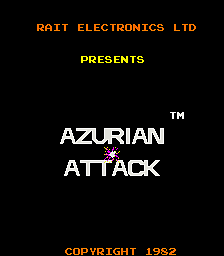
Arcade — EmulatorJS controls
Default Player 1 keyboard mapping. Change keys in Controller Settings.
| Console button | Keyboard |
|---|---|
| ↑ / ↓ / ← / → | ↑ / ↓ / ← / → |
| RetroPad A / B / X / Y | Z / X / A / S |
| L / R | Q / E |
| Insert coin | V |
| START | Enter |
Open Controller Settings to configure your keyboard or gamepad. Touch controls are available on mobile.
How to Play Azurian Attack
Quick start
- Turn toward an approaching enemy and move within firing range.
- Fire while keeping clear of the other craft.
- Cross the moving asteroid bands without contact.
- Follow the marked path into the base for the bonus.
Controls
Joystick: move and face one of eight directions. Fire action: shoot a short-range weapon in the facing direction.
Azurian Attack — About this game
Azurian Attack lets its spacecraft move across the entire screen and fire in the direction it faces. The short reach of the weapon encourages approaching a target, but the waves include enemies that release smaller craft toward the player. After the enemy formations comes an asteroid crossing with horizontal bands of moving rocks. Reaching the base requires avoiding those rocks and entering along its narrow marked approach. Completing that landing awards a bonus before the attacks repeat at greater difficulty.
Cheats
Infinite Credits
1 "开启", 0, 0x40B0, 0x99Infinite Lives
1 "开启", 0, 0x401D, 0x09Player verification and sources
Browser play was reviewed before this edition was published in the catalogue. The date below is the catalogue publication date, not the game’s original release date.
- Browser test and catalogue publication date
- Browsers and devices
- PC: Chrome, Edge and Firefox. Mobile: Chrome on Android and Safari on iPhone and iPad.
- Player engine and core
- EmulatorJS 4.3.0-pre · arcade
- Tested by
- rwEmulator
Sources and editorial basis
rwEmulator reviews edition metadata, release information, game manuals and first-hand browser-play notes. Available manuals are linked below; the editorial policy explains how facts are checked and corrections are handled.