More browsing paths
Play Batsugun (Korean PCB) (Korean) Online
Batsugun (Korean PCB)
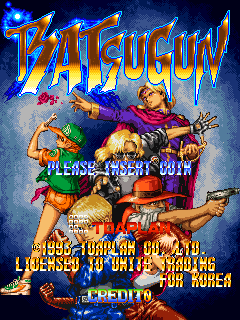
Play Batsugun (Korean PCB) online. Build three experience-based weapon levels, add separate P upgrades and collect more bomb stock.
Browser play
Arcade — EmulatorJS controls
Default Player 1 keyboard mapping. Change keys in Controller Settings.
| Console button | Keyboard |
|---|---|
| ↑ / ↓ / ← / → | ↑ / ↓ / ← / → |
| RetroPad A / B / X / Y | Z / X / A / S |
| L / R | Q / E |
| Insert coin | V |
| START | Enter |
Open Controller Settings to configure your keyboard or gamepad. Touch controls are available on mobile.
How to Play Batsugun (Korean PCB)
Quick start
- Choose a craft and try tapping versus holding Fire.
- Destroy enemies to build weapon experience.
- Collect P icons to strengthen the current level.
- Use a bomb when the bullet pattern closes.
Controls
Move the craft, use Fire for its main weapon and Bomb for a limited clearing attack. The selected craft determines how tapping or holding Fire changes its pattern. P pickups strengthen the current experience level.
Batsugun (Korean PCB) — About this game
Batsugun (Korean PCB) develops its weapons through experience earned from destroyed enemies as well as ordinary P pickups. Experience raises the gun through three levels, while P icons strengthen the present level separately. Once the experience levels are complete, more experience can supply another bomb instead. The three craft types offer different firing coverage, with some attacks changing when the button is tapped instead of held. Learn the selected craft’s shot before collecting an upgrade, then watch which meter has grown rather than treating every improvement as the same kind of power.
Batsugun (Korean PCB) Game manuals
Cheats
No cheats have been added for this edition.
Player verification and sources
Browser play was reviewed before this edition was published in the catalogue. The date below is the catalogue publication date, not the game’s original release date.
- Browser test and catalogue publication date
- Browsers and devices
- PC: Chrome, Edge and Firefox. Mobile: Chrome on Android and Safari on iPhone and iPad.
- Player engine and core
- EmulatorJS 4.3.0-pre · arcade
- Tested by
- rwEmulator
Sources and editorial basis
rwEmulator reviews edition metadata, release information, game manuals and first-hand browser-play notes. Available manuals are linked below; the editorial policy explains how facts are checked and corrections are handled.