More browsing paths
Play Battle Cross (English) Online
Battle Cross
Play Battle Cross online. Watch both sides for looping formations and keep clear of the rocks while firing.
Browser play
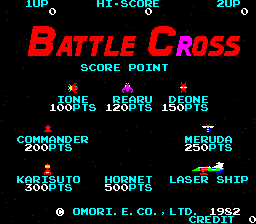
Arcade — EmulatorJS controls
Default Player 1 keyboard mapping. Change keys in Controller Settings.
| Console button | Keyboard |
|---|---|
| ↑ / ↓ / ← / → | ↑ / ↓ / ← / → |
| RetroPad A / B / X / Y | Z / X / A / S |
| L / R | Q / E |
| Insert coin | V |
| START | Enter |
Open Controller Settings to configure your keyboard or gamepad. Touch controls are available on mobile.
How to Play Battle Cross
Quick start
- Move into open space away from the rock formations.
- Fire at a group entering the screen.
- Watch where it loops back toward the craft.
- Reposition before another group closes the gap.
Controls
Joystick: move the spacecraft. Fire action: shoot. Avoid contact with the rock formations while tracking enemies from both sides.
Battle Cross — About this game
Battle Cross sends its spacecraft against formations entering from both sides of the screen. The enemy groups loop around rather than simply crossing once, making an apparently clear edge another possible approach. Rock formations also block a safe flight path, so shooting at the nearest group must be balanced with watching the terrain. Moving into open space before the formation returns provides a better opportunity to fire than chasing it into an obstacle.
Cheats
No cheats have been added for this edition.
Player verification and sources
Browser play was reviewed before this edition was published in the catalogue. The date below is the catalogue publication date, not the game’s original release date.
- Browser test and catalogue publication date
- Browsers and devices
- PC: Chrome, Edge and Firefox. Mobile: Chrome on Android and Safari on iPhone and iPad.
- Player engine and core
- EmulatorJS 4.3.0-pre · arcade
- Tested by
- rwEmulator
Sources and editorial basis
rwEmulator reviews edition metadata, release information, game manuals and first-hand browser-play notes. Available manuals are linked below; the editorial policy explains how facts are checked and corrections are handled.