More browsing paths
Play Blaster (English) Online
Blaster
Play Blaster online. Steer through the forward-view stages, shoot down threats and intercept stranded astronauts.
Browser play
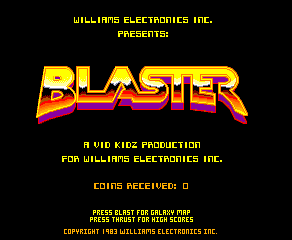
Arcade — EmulatorJS controls
Default Player 1 keyboard mapping. Change keys in Controller Settings.
| Console button | Keyboard |
|---|---|
| ↑ / ↓ / ← / → | ↑ / ↓ / ← / → |
| RetroPad A / B / X / Y | Z / X / A / S |
| L / R | Q / E |
| Insert coin | V |
| START | Enter |
Open Controller Settings to configure your keyboard or gamepad. Touch controls are available on mobile.
How to Play Blaster
Quick start
- Guide the ship with the optical joystick.
- Fire at enemies, obstacles and dangerous projectiles.
- Intercept stranded astronauts to rescue them.
- Use the thrust control while watching the route and remaining energy.
Controls
Optical joystick: steer the ship. Fire button: shoot the four-position sequence. Thrust button: apply thrust.
Blaster — About this game
Blaster sends a spacecraft into a sequence of forward-view battles filled with enemies, obstacles and stranded astronauts. Its weapon fires a sequence across four positions rather than placing every shot at the exact centre of the view. Enemy projectiles can themselves be destroyed, making firing a defensive tool as well as an attack. Intercepting an astronaut rescues them for points, while the ship’s limited energy requires care around the scenery. Separate fire and thrust buttons accompany the optical steering control.
Blaster Game manuals
Cheats
No cheats have been added for this edition.
Player verification and sources
Browser play was reviewed before this edition was published in the catalogue. The date below is the catalogue publication date, not the game’s original release date.
- Browser test and catalogue publication date
- Browsers and devices
- PC: Chrome, Edge and Firefox. Mobile: Chrome on Android and Safari on iPhone and iPad.
- Player engine and core
- EmulatorJS 4.3.0-pre · arcade
- Tested by
- rwEmulator
Sources and editorial basis
rwEmulator reviews edition metadata, release information, game manuals and first-hand browser-play notes. Available manuals are linked below; the editorial policy explains how facts are checked and corrections are handled.