More browsing paths
Play Blasteroids (rev 2) (Revision 2 · English) Online
Blasteroids (rev 2)
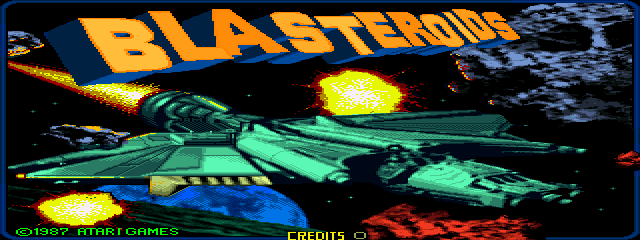
Play Blasteroids (rev 2) online. Transform between speed, firepower and armour while clearing the asteroid fields.
Browser play
Arcade — EmulatorJS controls
Default Player 1 keyboard mapping. Change keys in Controller Settings.
| Console button | Keyboard |
|---|---|
| ↑ / ↓ / ← / → | ↑ / ↓ / ← / → |
| RetroPad A / B / X / Y | Z / X / A / S |
| L / R | Q / E |
| Insert coin | V |
| START | Enter |
Open Controller Settings to configure your keyboard or gamepad. Touch controls are available on mobile.
How to Play Blasteroids (rev 2)
Quick start
- Rotate toward a rock.
- Thrust into a useful firing position.
- Shoot the rock and its fragments.
- Change ship form and collect energy crystals.
Controls
Turn the spinner to rotate the ship. Use separate Fire, Thrust and Transform buttons. Transform switches between the fast Speeder, heavily armed Fighter and armoured Warrior.
Blasteroids (rev 2) — About this game
Blasteroids (rev 2) combines asteroid clearing with three interchangeable ship forms. Speeder offers speed, Fighter supplies stronger firepower and Warrior provides armour. Destroying red rocks releases energy crystals, while defeated enemies reveal temporary equipment. Clear the galaxy’s sectors and confront Mukor, choosing a form suited to the immediate threat.
Blasteroids (rev 2) Game manuals
Cheats
No cheats have been added for this edition.
Player verification and sources
Browser play was reviewed before this edition was published in the catalogue. The date below is the catalogue publication date, not the game’s original release date.
- Browser test and catalogue publication date
- Browsers and devices
- PC: Chrome, Edge and Firefox. Mobile: Chrome on Android and Safari on iPhone and iPad.
- Player engine and core
- EmulatorJS 4.3.0-pre · arcade
- Tested by
- rwEmulator
Sources and editorial basis
rwEmulator reviews edition metadata, release information, game manuals and first-hand browser-play notes. Available manuals are linked below; the editorial policy explains how facts are checked and corrections are handled.