More browsing paths
Play Buggy Challenge (English) Online
Buggy Challenge
Play Buggy Challenge online. Follow the route marker and reach fuel-restoring gates while avoiding obstacles.
Browser play
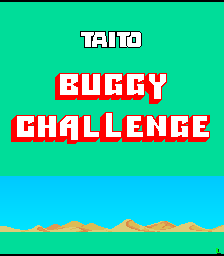
Arcade — EmulatorJS controls
Default Player 1 keyboard mapping. Change keys in Controller Settings.
| Console button | Keyboard |
|---|---|
| ↑ / ↓ / ← / → | ↑ / ↓ / ← / → |
| RetroPad A / B / X / Y | Z / X / A / S |
| L / R | Q / E |
| Insert coin | V |
| START | Enter |
Open Controller Settings to configure your keyboard or gamepad. Touch controls are available on mobile.
How to Play Buggy Challenge
Quick start
- Accelerate and use the gear shift as the buggy gains speed.
- Follow the distant flashing route marker.
- Reduce speed when approaching a narrow gate or obstacle.
- Pass checkpoint gates to restore fuel and continue through the courses.
Controls
Steering control: turn the buggy. Throttle: accelerate. Gear shift: change between low and high gear.
Buggy Challenge — About this game
Buggy Challenge sends a dune buggy across rough ground, grass, a city and an icy final course. Rocks, fences, other vehicles and rivers can stop the run, with crashes also consuming precious fuel. Passing a checkpoint or finish gate restores fuel, making a clean approach to those gates especially useful. A distant flashing point helps indicate the route. Steering gently and reducing speed for a narrow passage can preserve more of the run than forcing the buggy through at full throttle.
Buggy Challenge Game manuals
Cheats
No cheats have been added for this edition.
Player verification and sources
Browser play was reviewed before this edition was published in the catalogue. The date below is the catalogue publication date, not the game’s original release date.
- Browser test and catalogue publication date
- Browsers and devices
- PC: Chrome, Edge and Firefox. Mobile: Chrome on Android and Safari on iPhone and iPad.
- Player engine and core
- EmulatorJS 4.3.0-pre · arcade
- Tested by
- rwEmulator
Sources and editorial basis
rwEmulator reviews edition metadata, release information, game manuals and first-hand browser-play notes. Available manuals are linked below; the editorial policy explains how facts are checked and corrections are handled.