More browsing paths
Play Burning Fight (prototype, near final, ver 23.3, 910326) (Revision 23.3, 910326 · English) Online
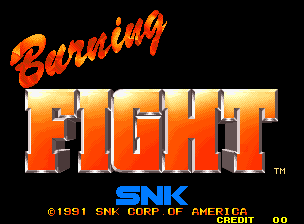
Burning Fight (prototype, near final, ver 23.3, 910326)
Switch between quick attacks and powerful kicks when fighting groups.
Browser play
Arcade — EmulatorJS controls
Default Player 1 keyboard mapping. Change keys in Controller Settings.
| Console button | Keyboard |
|---|---|
| ↑ / ↓ / ← / → | ↑ / ↓ / ← / → |
| RetroPad A / B / X / Y | Z / X / A / S |
| L / R | Q / E |
| Insert coin | V |
| START | Enter |
Open Controller Settings to configure your keyboard or gamepad. Touch controls are available on mobile.
How to Play Burning Fight (prototype, near final, ver 23.3, 910326)
Quick start
Try quick attacks and heavier kicks to learn when each leaves an opening. Save the emergency move for a crowd worth spending health on.
Controls
Button 1 performs quick attacks, Button 2 jumps and Button 3 delivers stronger kicks. Press quick attack and jump together to use the health-consuming emergency move.
Burning Fight (prototype, near final, ver 23.3, 910326) — About this game
Quick attacks and heavier kicks give you two ways to handle a crowd. Picked-up weapons add more options, while an emergency move knocks down nearby enemies at the cost of health. Choose attacks to suit both the opening and the health you have left.
Cheats
No cheats have been added for this edition.
Player verification and sources
Browser play was reviewed before this edition was published in the catalogue. The date below is the catalogue publication date, not the game’s original release date.
- Browser test and catalogue publication date
- Browsers and devices
- PC: Chrome, Edge and Firefox. Mobile: Chrome on Android and Safari on iPhone and iPad.
- Player engine and core
- EmulatorJS 4.3.0-pre · arcade
- Tested by
- rwEmulator
Sources and editorial basis
rwEmulator reviews edition metadata, release information, game manuals and first-hand browser-play notes. Available manuals are linked below; the editorial policy explains how facts are checked and corrections are handled.