More browsing paths
Play Butasan (Japan, Japanese) (Japan edition · Japanese) Online
Butasan (Japan, Japanese)
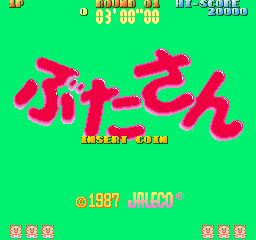
Play Butasan (Japan, Japanese) online. Pick up a bomb, throw it at a rival pig and keep clear of the next explosion.
Browser play
Arcade — EmulatorJS controls
Default Player 1 keyboard mapping. Change keys in Controller Settings.
| Console button | Keyboard |
|---|---|
| ↑ / ↓ / ← / → | ↑ / ↓ / ← / → |
| RetroPad A / B / X / Y | Z / X / A / S |
| L / R | Q / E |
| Insert coin | V |
| START | Enter |
Open Controller Settings to configure your keyboard or gamepad. Touch controls are available on mobile.
How to Play Butasan (Japan, Japanese)
Quick start
- Walk over a bomb to pick it up.
- Face a nearby rival.
- Use Throw to lob the bomb.
- Duck a flying bomb or move away from a ticking one.
Controls
Move with the joystick. Walk over a bomb to pick it up and use Throw to lob it. Duck avoids an incoming hurled bomb; move away if a bomb is about to explode beside the pig.
Butasan (Japan, Japanese) — About this game
Butasan puts numbered bombs around an arena of rival pigs. Walking over a bomb picks it up, ready to throw at another pig; a direct hit detonates it, while a missed throw leaves the countdown relevant. Ducking can avoid a flying bomb but cannot save the pig from a nearby timed explosion. Keeping an escape route matters as the arena fills with thrown explosives.
Cheats
No cheats have been added for this edition.
Player verification and sources
Browser play was reviewed before this edition was published in the catalogue. The date below is the catalogue publication date, not the game’s original release date.
- Browser test and catalogue publication date
- Browsers and devices
- PC: Chrome, Edge and Firefox. Mobile: Chrome on Android and Safari on iPhone and iPad.
- Player engine and core
- EmulatorJS 4.3.0-pre · arcade
- Tested by
- rwEmulator
Sources and editorial basis
rwEmulator reviews edition metadata, release information, game manuals and first-hand browser-play notes. Available manuals are linked below; the editorial policy explains how facts are checked and corrections are handled.