More browsing paths
Play Cadash (World, prototype) (World edition · English) Online
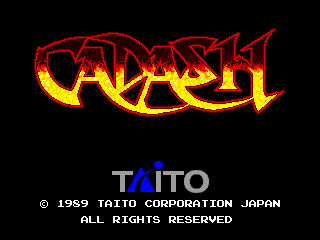
Cadash (World, prototype)
Play Cadash (World, prototype) online. An arcade action RPG about rescuing a kidnapped princess.
Browser play
Arcade — EmulatorJS controls
Default Player 1 keyboard mapping. Change keys in Controller Settings.
| Console button | Keyboard |
|---|---|
| ↑ / ↓ / ← / → | ↑ / ↓ / ← / → |
| RetroPad A / B / X / Y | Z / X / A / S |
| L / R | Q / E |
| Insert coin | V |
| START | Enter |
Open Controller Settings to configure your keyboard or gamepad. Touch controls are available on mobile.
How to Play Cadash (World, prototype)
Quick start
- Select fighter, priestess, mage or ninja.
- Test your class's available attacks before approaching several enemies.
- Jump, duck or climb where the route requires it.
- Defeat monsters to gain experience and continue through the dungeon.
Controls
Use the eight-way joystick and the attack and jump buttons. Attack operates the weapon and also participates in interactions with people; directional combinations change some actions. For a class that can use magic, holding attack invokes its magic action. Check that class's available spells and MP rather than expecting every class to cast.
Cadash (World, prototype) — About this game
Choose a hero, fight monsters, gain experience and buy equipment while advancing through a fantasy adventure.
Cadash (World, prototype) Game manuals
Cheats
No cheats have been added for this edition.
Player verification and sources
Browser play was reviewed before this edition was published in the catalogue. The date below is the catalogue publication date, not the game’s original release date.
- Browser test and catalogue publication date
- Browsers and devices
- PC: Chrome, Edge and Firefox. Mobile: Chrome on Android and Safari on iPhone and iPad.
- Player engine and core
- EmulatorJS 4.3.0-pre · arcade
- Tested by
- rwEmulator
Sources and editorial basis
rwEmulator reviews edition metadata, release information, game manuals and first-hand browser-play notes. Available manuals are linked below; the editorial policy explains how facts are checked and corrections are handled.