More browsing paths
Play Canvas Croquis (English) Online
Canvas Croquis
Play Canvas Croquis online. Turn over the picture panels and trap enemies in a bomb’s marked area before triggering it safely.
Browser play
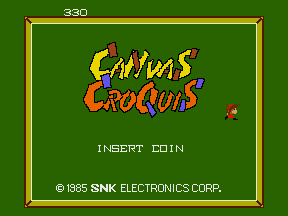
Arcade — EmulatorJS controls
Default Player 1 keyboard mapping. Change keys in Controller Settings.
| Console button | Keyboard |
|---|---|
| ↑ / ↓ / ← / → | ↑ / ↓ / ← / → |
| RetroPad A / B / X / Y | Z / X / A / S |
| L / R | Q / E |
| Insert coin | V |
| START | Enter |
Open Controller Settings to configure your keyboard or gamepad. Touch controls are available on mobile.
How to Play Canvas Croquis
Quick start
- Turn over a line of green panels.
- Approach a bomb when enemies are nearby.
- Arm it to mark the trapping area.
- Activate the switch while keeping the painter clear of the blast.
Controls
Move with the four-way joystick. Use the action button beside a bomb to arm it and reveal its detonation switch. Trigger the switch before it disappears, keeping the painter out of the affected area.
Canvas Croquis — About this game
Canvas Croquis reveals its picture by turning over the panels of a maze-like field. Inkman enemies travel on the green backs and can spoil completed parts, while stone-headed Ugly enemies occupy the revealed picture. Bombs create a marked three-by-three area that immobilises enemies; activating the exposed switch detonates the trap. The blast can also kill the painter, making a safe escape essential before completing the remaining panels.
Cheats
No cheats have been added for this edition.
Player verification and sources
Browser play was reviewed before this edition was published in the catalogue. The date below is the catalogue publication date, not the game’s original release date.
- Browser test and catalogue publication date
- Browsers and devices
- PC: Chrome, Edge and Firefox. Mobile: Chrome on Android and Safari on iPhone and iPad.
- Player engine and core
- EmulatorJS 4.3.0-pre · arcade
- Tested by
- rwEmulator
Sources and editorial basis
rwEmulator reviews edition metadata, release information, game manuals and first-hand browser-play notes. Available manuals are linked below; the editorial policy explains how facts are checked and corrections are handled.