More browsing paths
Play Burnin' Rubber (DECO Cassette) (US) (set 1) (US edition · English) Online
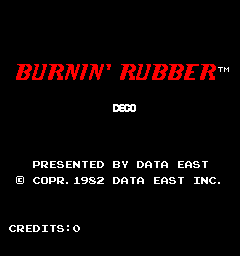
Burnin' Rubber (DECO Cassette) (US) (set 1)
Keep room beside your car as rivals try to shove it into the road edges.
Browser play
Arcade — EmulatorJS controls
Default Player 1 keyboard mapping. Change keys in Controller Settings.
| Console button | Keyboard |
|---|---|
| ↑ / ↓ / ← / → | ↑ / ↓ / ← / → |
| RetroPad A / B / X / Y | Z / X / A / S |
| L / R | Q / E |
| Insert coin | V |
| START | Enter |
Open Controller Settings to configure your keyboard or gamepad. Touch controls are available on mobile.
How to Play Burnin' Rubber (DECO Cassette) (US) (set 1)
Quick start
Keep space between the car and the barrier. Prepare enough speed before a section that requires jumping.
Controls
Steer the car and manage speed. Jump crosses road gaps but is available only above a sufficient speed.
Burnin' Rubber (DECO Cassette) (US) (set 1) — About this game
The road scrolls under the car while rivals push toward its edges. Water sections require a jump, whose distance depends on speed. The scenery changes between courses, but lateral space remains essential for withstanding bumps. Build enough speed before a required jump and avoid being boxed against a barrier.
Cheats
No cheats have been added for this edition.
Player verification and sources
Browser play was reviewed before this edition was published in the catalogue. The date below is the catalogue publication date, not the game’s original release date.
- Browser test and catalogue publication date
- Browsers and devices
- PC: Chrome, Edge and Firefox. Mobile: Chrome on Android and Safari on iPhone and iPad.
- Player engine and core
- EmulatorJS 4.3.0-pre · arcade
- Tested by
- rwEmulator
Sources and editorial basis
rwEmulator reviews edition metadata, release information, game manuals and first-hand browser-play notes. Available manuals are linked below; the editorial policy explains how facts are checked and corrections are handled.