More browsing paths
Play Cheeky Mouse (English) Online
Cheeky Mouse
Play Cheeky Mouse online. Guard the floor holes and strike a mouse before it escapes with the cheese.
Browser play
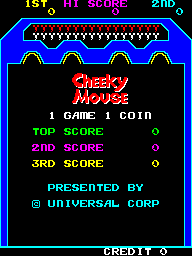
Arcade — EmulatorJS controls
Default Player 1 keyboard mapping. Change keys in Controller Settings.
| Console button | Keyboard |
|---|---|
| ↑ / ↓ / ← / → | ↑ / ↓ / ← / → |
| RetroPad A / B / X / Y | Z / X / A / S |
| L / R | Q / E |
| Insert coin | V |
| START | Enter |
Open Controller Settings to configure your keyboard or gamepad. Touch controls are available on mobile.
How to Play Cheeky Mouse
Quick start
- Move Left/Right toward a mouse chewing the floor.
- Use Hammer while it is within reach.
- Watch for a mouse returning from below with cheese.
- Strike it before it escapes and move to the next threatened hole.
Controls
Left/Right moves along the floor. Hammer strikes a mouse within reach. Attack while it chews through the floor or climbs back out carrying cheese.
Cheeky Mouse — About this game
Cheeky Mouse places the hammer wielder on a horizontal floor above a supply of cheese. Mice descend from the wall and gnaw through the floor before carrying the food away. A strike can stop one while it chews or recover its cheese as it climbs back out, but the return leaves a shorter opening. Choosing which hole to guard becomes harder as the mice move faster and windows hide part of their approach.
Cheats
No cheats have been added for this edition.
Player verification and sources
Browser play was reviewed before this edition was published in the catalogue. The date below is the catalogue publication date, not the game’s original release date.
- Browser test and catalogue publication date
- Browsers and devices
- PC: Chrome, Edge and Firefox. Mobile: Chrome on Android and Safari on iPhone and iPad.
- Player engine and core
- EmulatorJS 4.3.0-pre · arcade
- Tested by
- rwEmulator
Sources and editorial basis
rwEmulator reviews edition metadata, release information, game manuals and first-hand browser-play notes. Available manuals are linked below; the editorial policy explains how facts are checked and corrections are handled.