More browsing paths
Play CoMotion (English) Online
CoMotion
Play CoMotion online. Choose turns that preserve space while the growing trails close off the field.
Browser play
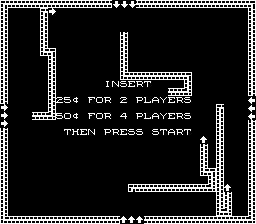
Arcade — EmulatorJS controls
Default Player 1 keyboard mapping. Change keys in Controller Settings.
| Console button | Keyboard |
|---|---|
| ↑ / ↓ / ← / → | ↑ / ↓ / ← / → |
| RetroPad A / B / X / Y | Z / X / A / S |
| L / R | Q / E |
| Insert coin | V |
| START | Enter |
Open Controller Settings to configure your keyboard or gamepad. Touch controls are available on mobile.
How to Play CoMotion
Quick start
- Choose an open direction for the moving line.
- Turn before reaching an existing trail.
- Preserve a route out of the next enclosure.
- Stay clear while the other players’ trails fill more of the field.
Controls
Directional control: turn the moving line. Avoid the trails left on the field; colliding with one loses the round.
CoMotion — About this game
CoMotion turns each player’s moving line into an obstacle for everyone on the screen. The route leaves a trail behind, and colliding with one of those trails loses the round. Two, three or four players can take part, making a turn useful both for preserving an escape route and for restricting an opponent’s space. The field becomes more crowded as the trails grow, so a safe-looking opening can disappear after only a few turns. Planning room for the next direction change keeps the line in play.
CoMotion Game manuals
Cheats
No cheats have been added for this edition.
Player verification and sources
Browser play was reviewed before this edition was published in the catalogue. The date below is the catalogue publication date, not the game’s original release date.
- Browser test and catalogue publication date
- Browsers and devices
- PC: Chrome, Edge and Firefox. Mobile: Chrome on Android and Safari on iPhone and iPad.
- Player engine and core
- EmulatorJS 4.3.0-pre · arcade
- Tested by
- rwEmulator
Sources and editorial basis
rwEmulator reviews edition metadata, release information, game manuals and first-hand browser-play notes. Available manuals are linked below; the editorial policy explains how facts are checked and corrections are handled.