More browsing paths
Play Crazy Fight (English) Online
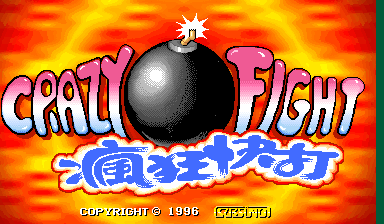
Crazy Fight
Play Crazy Fight online. Shoot with the button matching the target’s screen position while sparing the civilians in the same six areas.
Browser play
Arcade — EmulatorJS controls
Default Player 1 keyboard mapping. Change keys in Controller Settings.
| Console button | Keyboard |
|---|---|
| ↑ / ↓ / ← / → | ↑ / ↓ / ← / → |
| RetroPad A / B / X / Y | Z / X / A / S |
| L / R | Q / E |
| Insert coin | V |
| START | Enter |
Open Controller Settings to configure your keyboard or gamepad. Touch controls are available on mobile.
How to Play Crazy Fight
Quick start
- Choose a stage.
- Learn the two-row, three-column target layout.
- Press the matching position button when an armed enemy appears.
- Hold fire when the figure is a hostage.
Controls
Use six position buttons arranged as two rows of three. Each fires at its corresponding screen region; there is no moving aiming cursor. Shoot armed targets promptly and do not shoot hostages.
Crazy Fight — About this game
Crazy Fight replaces a gun or aiming cursor with six screen-position buttons. Targets appear in two rows of three, and pressing the corresponding button shoots directly into that region. Armed enemies must be hit before they attack, but civilians use the same spaces and penalise a mistaken shot. Choosing a stage changes the setting and opposition while preserving that six-position identification test.
Cheats
Infinite Energy
1 "开启", 0, 0x405D8D, 0x30One shot to finish this off
1 "开启", 0, 0x405D8B, 0x00Player verification and sources
Browser play was reviewed before this edition was published in the catalogue. The date below is the catalogue publication date, not the game’s original release date.
- Browser test and catalogue publication date
- Browsers and devices
- PC: Chrome, Edge and Firefox. Mobile: Chrome on Android and Safari on iPhone and iPad.
- Player engine and core
- EmulatorJS 4.3.0-pre · arcade
- Tested by
- rwEmulator
Sources and editorial basis
rwEmulator reviews edition metadata, release information, game manuals and first-hand browser-play notes. Available manuals are linked below; the editorial policy explains how facts are checked and corrections are handled.