More browsing paths
Play Evil Stone (English) Online
Evil Stone
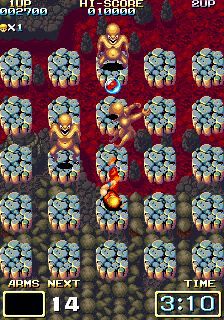
Play Evil Stone online. Brawl across grids of floating rocks rather than ordinary scrolling streets.
Browser play
Arcade — EmulatorJS controls
Default Player 1 keyboard mapping. Change keys in Controller Settings.
| Console button | Keyboard |
|---|---|
| ↑ / ↓ / ← / → | ↑ / ↓ / ← / → |
| RetroPad A / B / X / Y | Z / X / A / S |
| L / R | Q / E |
| Insert coin | V |
| START | Enter |
Open Controller Settings to configure your keyboard or gamepad. Touch controls are available on mobile.
How to Play Evil Stone
Quick start
- Move across the floating-rock grid toward the nearest threat.
- Attack without stepping into an unsafe gap or enemy path.
- Reposition before the next enemy closes in.
- Clear the encounter and continue through the unusual arena.
Controls
Use the four-way joystick to move across the grid. Use Buttons 1 and 2 for the two registered combat actions; their individual attack labels are not inferred from generic driver names.
Evil Stone — About this game
Brawl across grids of floating rocks rather than ordinary scrolling streets. Navigate the unusual platform layout while fighting without a conventional health counter. The immediate goal is to read the stage, use the confirmed movement and action interface deliberately, and preserve the available time, space, energy or lives until the next objective is reached.
Cheats
No cheats have been added for this edition.
Player verification and sources
Browser play was reviewed before this edition was published in the catalogue. The date below is the catalogue publication date, not the game’s original release date.
- Browser test and catalogue publication date
- Browsers and devices
- PC: Chrome, Edge and Firefox. Mobile: Chrome on Android and Safari on iPhone and iPad.
- Player engine and core
- EmulatorJS 4.3.0-pre · arcade
- Tested by
- rwEmulator
Sources and editorial basis
rwEmulator reviews edition metadata, release information, game manuals and first-hand browser-play notes. Available manuals are linked below; the editorial policy explains how facts are checked and corrections are handled.