More browsing paths
Play Fire Battle (English) Online
Fire Battle
Play Fire Battle online. Choose twin bullets for airborne enemies and the slower ground weapon for guns or robots below.
Browser play
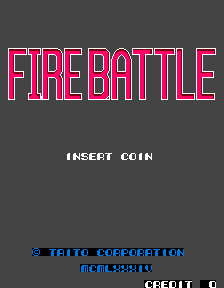
Arcade — EmulatorJS controls
Default Player 1 keyboard mapping. Change keys in Controller Settings.
| Console button | Keyboard |
|---|---|
| ↑ / ↓ / ← / → | ↑ / ↓ / ← / → |
| RetroPad A / B / X / Y | Z / X / A / S |
| L / R | Q / E |
| Insert coin | V |
| START | Enter |
Open Controller Settings to configure your keyboard or gamepad. Touch controls are available on mobile.
How to Play Fire Battle
Quick start
- Identify whether the next target is airborne or on the ground.
- Use the twin-bullet gun for aircraft.
- Use the ground weapon for a gun or robot.
- Continue upward while avoiding incoming attacks.
Controls
Move the spacecraft and use its separate air and ground attacks. The twin-bullet gun targets airborne enemies; the slower bomb-like weapon targets those on the ground.
Fire Battle — About this game
Fire Battle gives its spacecraft separate attacks for enemies in the sky and on the ground. Twin bullets deal with airborne craft, while the slower bomb-like weapon reaches static guns and robots below. The vertically scrolling route asks the player to distinguish which layer a target occupies before choosing the attack, continuing the score attempt until the ship is destroyed.
Cheats
No cheats have been added for this edition.
Player verification and sources
Browser play was reviewed before this edition was published in the catalogue. The date below is the catalogue publication date, not the game’s original release date.
- Browser test and catalogue publication date
- Browsers and devices
- PC: Chrome, Edge and Firefox. Mobile: Chrome on Android and Safari on iPhone and iPad.
- Player engine and core
- EmulatorJS 4.3.0-pre · arcade
- Tested by
- rwEmulator
Sources and editorial basis
rwEmulator reviews edition metadata, release information, game manuals and first-hand browser-play notes. Available manuals are linked below; the editorial policy explains how facts are checked and corrections are handled.