More browsing paths
Play Gang Wars (US) (US edition · English) Online
Gang Wars (US)
Play Gang Wars (US) online. Fight with punches, kicks and weapons, then spend stage-earned points on Power, Speed or Guard.
Browser play
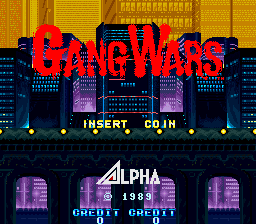
Arcade — EmulatorJS controls
Default Player 1 keyboard mapping. Change keys in Controller Settings.
| Console button | Keyboard |
|---|---|
| ↑ / ↓ / ← / → | ↑ / ↓ / ← / → |
| RetroPad A / B / X / Y | Z / X / A / S |
| L / R | Q / E |
| Insert coin | V |
| START | Enter |
Open Controller Settings to configure your keyboard or gamepad. Touch controls are available on mobile.
How to Play Gang Wars (US)
Quick start
- Compare the punch and kick attacks.
- Jump past an obstacle or into an attack.
- Pick up a useful weapon.
- Distribute the earned points among Power, Speed and Guard after the stage.
Controls
Use Punch, Kick and Jump individually or in combinations. Pick up weapons for close attacks, throwing or gunfire. At the end of a stage, assign the earned development points to Power, Speed and Guard.
Gang Wars (US) — About this game
Gang Wars (US) gives its two martial artists a chance to develop between street fights. Punches, kicks, jumps and collected weapons supply the immediate attacks, but the end of a stage converts the result into choices among Power, Speed and Guard. Better scores provide more points to distribute. This lets the player shape the next stage’s fighting attributes during the rescue across New York.
Cheats
No cheats have been added for this edition.
Player verification and sources
Browser play was reviewed before this edition was published in the catalogue. The date below is the catalogue publication date, not the game’s original release date.
- Browser test and catalogue publication date
- Browsers and devices
- PC: Chrome, Edge and Firefox. Mobile: Chrome on Android and Safari on iPhone and iPad.
- Player engine and core
- EmulatorJS 4.3.0-pre · arcade
- Tested by
- rwEmulator
Sources and editorial basis
rwEmulator reviews edition metadata, release information, game manuals and first-hand browser-play notes. Available manuals are linked below; the editorial policy explains how facts are checked and corrections are handled.