More browsing paths
Play Hammer Away (Japan, prototype) (Japan edition · Japanese) Online
Hammer Away (Japan, prototype)
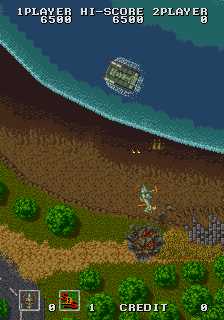
Play Hammer Away (Japan, prototype) online. 用对空、对地射击和SDS爆弹打击不同层次目标。
Browser play
Arcade — EmulatorJS controls
Default Player 1 keyboard mapping. Change keys in Controller Settings.
| Console button | Keyboard |
|---|---|
| ↑ / ↓ / ← / → | ↑ / ↓ / ← / → |
| RetroPad A / B / X / Y | Z / X / A / S |
| L / R | Q / E |
| Insert coin | V |
| START | Enter |
Open Controller Settings to configure your keyboard or gamepad. Touch controls are available on mobile.
How to Play Hammer Away (Japan, prototype)
Quick start
- 开始后先确认移动与各动作键。
- 按基础攻击或发射键处理首批目标。
- 根据画面反馈练习第二与第三动作。
- 资源有限的特殊动作留给密集敌群或危险局面。
Controls
Use the directional controls to move or select menu items. Insert a coin, then press Start to begin. Action buttons depend on the game; follow the keyboard, controller, or touch mapping shown by the emulator.
Hammer Away (Japan, prototype) — About this game
Hammer Away (Japan, prototype)是Hammer Away射击家族的精确版本。用对空、对地射击和SDS爆弹打击不同层次目标。当前FBNeo登记确认版本身份与输入配置,本地command.dat核实核心按键。原型、启动版或地区变体可能改变关卡、数值、难度、图像和隐藏内容,因此这里只同步有依据的目标与共通操作,不推定未记载的版本差异。
Cheats
No cheats have been added for this edition.
Player verification and sources
Browser play was reviewed before this edition was published in the catalogue. The date below is the catalogue publication date, not the game’s original release date.
- Browser test and catalogue publication date
- Browsers and devices
- PC: Chrome, Edge and Firefox. Mobile: Chrome on Android and Safari on iPhone and iPad.
- Player engine and core
- EmulatorJS 4.3.0-pre · arcade
- Tested by
- rwEmulator
Sources and editorial basis
rwEmulator reviews edition metadata, release information, game manuals and first-hand browser-play notes. Available manuals are linked below; the editorial policy explains how facts are checked and corrections are handled.