More browsing paths
Play Horizon (Irem) (English) Online
Horizon (Irem)
Play Horizon (Irem) online. Fight across terrain in a turret-equipped hover vehicle.
Browser play
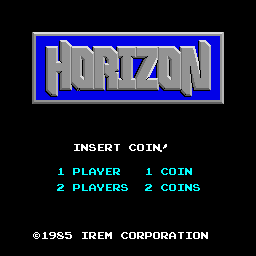
Arcade — EmulatorJS controls
Default Player 1 keyboard mapping. Change keys in Controller Settings.
| Console button | Keyboard |
|---|---|
| ↑ / ↓ / ← / → | ↑ / ↓ / ← / → |
| RetroPad A / B / X / Y | Z / X / A / S |
| L / R | Q / E |
| Insert coin | V |
| START | Enter |
Open Controller Settings to configure your keyboard or gamepad. Touch controls are available on mobile.
How to Play Horizon (Irem)
Quick start
- Move the hover vehicle into a clear lane.
- Destroy threats before they close in.
- Change lanes to avoid return fire and terrain hazards.
- Collect fuel and continue across the course.
Controls
Use the four-way joystick to steer the hover vehicle. Use the two registered action buttons for its weapons or vehicle actions; their physical order is left unassigned where the source does not label it.
Horizon (Irem) — About this game
Fight across terrain in a turret-equipped hover vehicle. Change lanes to dodge attacks and gather fuel while destroying enemies. The immediate goal is to read the stage, use the confirmed movement and action interface deliberately, and preserve the available time, space, energy or lives until the next objective is reached.
Cheats
Infinite Lives
1 "开启", 0, 0xE04D, 0x07Infinite Fuel
1 "开启", 0, 0xE03E, 0x6EPlayer verification and sources
Browser play was reviewed before this edition was published in the catalogue. The date below is the catalogue publication date, not the game’s original release date.
- Browser test and catalogue publication date
- Browsers and devices
- PC: Chrome, Edge and Firefox. Mobile: Chrome on Android and Safari on iPhone and iPad.
- Player engine and core
- EmulatorJS 4.3.0-pre · arcade
- Tested by
- rwEmulator
Sources and editorial basis
rwEmulator reviews edition metadata, release information, game manuals and first-hand browser-play notes. Available manuals are linked below; the editorial policy explains how facts are checked and corrections are handled.