More browsing paths
Play Ikari Three (Korea, 8-Way Joystick) (South Korea edition · Korean) Online
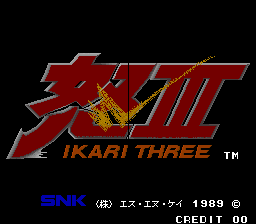
Ikari Three (Korea, 8-Way Joystick)
Close combat takes priority, with weapons less common than in earlier missions.
Browser play
Arcade — EmulatorJS controls
Default Player 1 keyboard mapping. Change keys in Controller Settings.
| Console button | Keyboard |
|---|---|
| ↑ / ↓ / ← / → | ↑ / ↓ / ← / → |
| RetroPad A / B / X / Y | Z / X / A / S |
| L / R | Q / E |
| Insert coin | V |
| START | Enter |
Open Controller Settings to configure your keyboard or gamepad. Touch controls are available on mobile.
How to Play Ikari Three (Korea, 8-Way Joystick)
Quick start
Try the three basic attacks and avoid relying on a constant supply of weapons. Check whether your version supports rotation before trying techniques that require it.
Controls
A kicks, B jumps and C punches. A+B performs a jumping kick, while B+C throws a backward punch.
Ikari Three (Korea, 8-Way Joystick) — About this game
The action focuses on close combat, with weapons less common than in earlier missions. Combine punches, kicks and jumps to deal with enemies coming from different directions. Some setups use a rotary joystick and others omit that function, so rotation controls depend on the version.
Ikari Three (Korea, 8-Way Joystick) Game manuals
Cheats
No cheats have been added for this edition.
Player verification and sources
Browser play was reviewed before this edition was published in the catalogue. The date below is the catalogue publication date, not the game’s original release date.
- Browser test and catalogue publication date
- Browsers and devices
- PC: Chrome, Edge and Firefox. Mobile: Chrome on Android and Safari on iPhone and iPad.
- Player engine and core
- EmulatorJS 4.3.0-pre · arcade
- Tested by
- rwEmulator
Sources and editorial basis
rwEmulator reviews edition metadata, release information, game manuals and first-hand browser-play notes. Available manuals are linked below; the editorial policy explains how facts are checked and corrections are handled.