More browsing paths
Play Jolly Jogger (English) Online
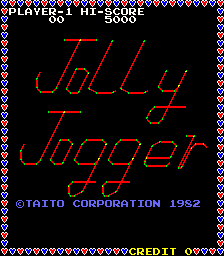
Jolly Jogger
Play Jolly Jogger online. Run around every square’s border and use special squares to freeze the pursuers.
Browser play
Arcade — EmulatorJS controls
Default Player 1 keyboard mapping. Change keys in Controller Settings.
| Console button | Keyboard |
|---|---|
| ↑ / ↓ / ← / → | ↑ / ↓ / ← / → |
| RetroPad A / B / X / Y | Z / X / A / S |
| L / R | Q / E |
| Insert coin | V |
| START | Enter |
Open Controller Settings to configure your keyboard or gamepad. Touch controls are available on mobile.
How to Play Jolly Jogger
Quick start
- Follow the grid toward an unfinished square.
- Complete its surrounding border.
- Use a special square when freezing the pursuers creates a useful opening.
- Finish all square borders before the fuse burns out.
Controls
Directional control: guide the jogger along the grid paths. Running around a square completes its border; special squares temporarily freeze the pursuers.
Jolly Jogger — About this game
Jolly Jogger draws borders around the square areas of a grid while avoiding pursuing bullies. Completing the route around every square clears the screen and introduces another layout. Special squares temporarily freeze the pursuers, giving the jogger room to finish an unfinished section. A burning fuse limits how long the screen can take, with a life lost if it expires. Planning a path that completes several borders together helps keep the route efficient before the temporary safety ends.
Cheats
No cheats have been added for this edition.
Player verification and sources
Browser play was reviewed before this edition was published in the catalogue. The date below is the catalogue publication date, not the game’s original release date.
- Browser test and catalogue publication date
- Browsers and devices
- PC: Chrome, Edge and Firefox. Mobile: Chrome on Android and Safari on iPhone and iPad.
- Player engine and core
- EmulatorJS 4.3.0-pre · arcade
- Tested by
- rwEmulator
Sources and editorial basis
rwEmulator reviews edition metadata, release information, game manuals and first-hand browser-play notes. Available manuals are linked below; the editorial policy explains how facts are checked and corrections are handled.