More browsing paths
Play Kram (English) Online
Kram
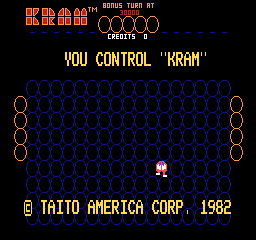
Play Kram online. Build and remove walls to control pursuing enemies while collecting coins.
Browser play
Arcade — EmulatorJS controls
Default Player 1 keyboard mapping. Change keys in Controller Settings.
| Console button | Keyboard |
|---|---|
| ↑ / ↓ / ← / → | ↑ / ↓ / ← / → |
| RetroPad A / B / X / Y | Z / X / A / S |
| L / R | Q / E |
| Insert coin | V |
| START | Enter |
Open Controller Settings to configure your keyboard or gamepad. Touch controls are available on mobile.
How to Play Kram
Quick start
- Build a barrier between Kram and an approaching enemy.
- Keep a route to the next coin open.
- Watch how the enemy responds to the new wall.
- Use the wall-destruction action when a barrier blocks the escape.
Controls
Move Kram through the playfield and build walls to redirect the chase. The separate action button destroys walls the player has built.
Kram — About this game
Kram uses constructed walls to change a chase. The player builds barriers to keep pursuing enemies away, collects coins for points and can destroy the walls already made with an action button. A route that appears safe can become a trap if its own barriers leave no way out, so building and reopening paths belong to the same plan. Start with a small defended space, watch where the pursuer goes and remove a wall when it becomes an obstacle to the next coin rather than a useful defence.
Kram Game manuals
Cheats
No cheats have been added for this edition.
Player verification and sources
Browser play was reviewed before this edition was published in the catalogue. The date below is the catalogue publication date, not the game’s original release date.
- Browser test and catalogue publication date
- Browsers and devices
- PC: Chrome, Edge and Firefox. Mobile: Chrome on Android and Safari on iPhone and iPad.
- Player engine and core
- EmulatorJS 4.3.0-pre · arcade
- Tested by
- rwEmulator
Sources and editorial basis
rwEmulator reviews edition metadata, release information, game manuals and first-hand browser-play notes. Available manuals are linked below; the editorial policy explains how facts are checked and corrections are handled.