More browsing paths
Play Kozmik Kroozr (English) Online
Kozmik Kroozr
Play Kozmik Kroozr online. Move toward an open mothership port while aiming independently and preserving the shield reserve.
Browser play
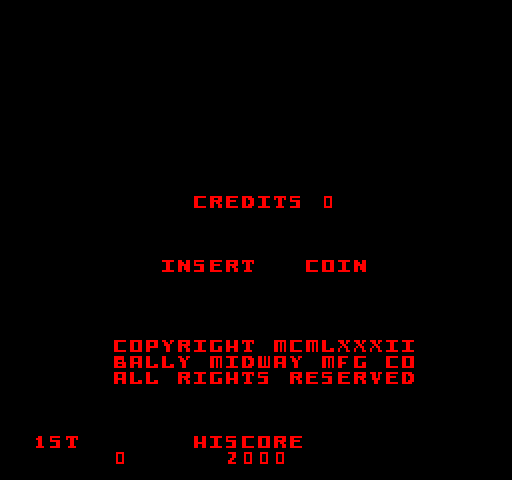
Arcade — EmulatorJS controls
Default Player 1 keyboard mapping. Change keys in Controller Settings.
| Console button | Keyboard |
|---|---|
| ↑ / ↓ / ← / → | ↑ / ↓ / ← / → |
| RetroPad A / B / X / Y | Z / X / A / S |
| L / R | Q / E |
| Insert coin | V |
| START | Enter |
Open Controller Settings to configure your keyboard or gamepad. Touch controls are available on mobile.
How to Play Kozmik Kroozr
Quick start
- Move the ship with the joystick.
- Turn the aiming knob toward a threat and fire.
- Use Shield briefly when an attack closes in.
- Enter a rotating mothership port when the opportunity opens.
Controls
Joystick: move. Rotating aim control: select one of eight firing directions. Trigger: shoot; hold for repeated fire. Push the aiming knob down: activate the limited shield.
Kozmik Kroozr — About this game
Kozmik Krooz’r separates movement from the direction of fire while the pilot works toward the mothership. A joystick moves the ship and a rotating aiming control chooses one of eight firing directions. The shield can deflect danger but has only a short reserve, replenished by successfully entering a rotating port of the mothership. Bonus junk-yard rounds ask for scattered parts before time runs out, with turbulence and other interruptions making the collection route another positioning challenge.
Kozmik Kroozr Game manuals
Cheats
No cheats have been added for this edition.
Player verification and sources
Browser play was reviewed before this edition was published in the catalogue. The date below is the catalogue publication date, not the game’s original release date.
- Browser test and catalogue publication date
- Browsers and devices
- PC: Chrome, Edge and Firefox. Mobile: Chrome on Android and Safari on iPhone and iPad.
- Player engine and core
- EmulatorJS 4.3.0-pre · arcade
- Tested by
- rwEmulator
Sources and editorial basis
rwEmulator reviews edition metadata, release information, game manuals and first-hand browser-play notes. Available manuals are linked below; the editorial policy explains how facts are checked and corrections are handled.