More browsing paths
Play Live Quiz Show (English) Online
Live Quiz Show
Play Live Quiz Show online. Compete in a television-style quiz using four dedicated answer buttons.
Browser play
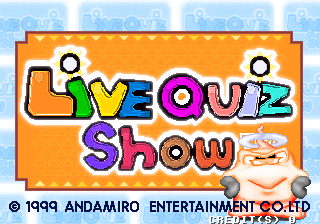
Arcade — EmulatorJS controls
Default Player 1 keyboard mapping. Change keys in Controller Settings.
| Console button | Keyboard |
|---|---|
| ↑ / ↓ / ← / → | ↑ / ↓ / ← / → |
| RetroPad A / B / X / Y | Z / X / A / S |
| L / R | Q / E |
| Insert coin | V |
| START | Enter |
Open Controller Settings to configure your keyboard or gamepad. Touch controls are available on mobile.
How to Play Live Quiz Show
Quick start
- Read the entire question and every displayed choice.
- Identify the intended answer before committing an input.
- Press the corresponding answer before time expires.
- Check the result and prepare for the next question or story step.
Controls
Press Button 1, 2, 3 or 4 for the corresponding displayed answer. The second and third players have equivalent four-button banks.
Live Quiz Show — About this game
Live Quiz Show presents arcade trivia as a multiplayer television-style contest. Up to three participants receive separate four-button answer banks and respond to the same timed questions. The basic task is to read all four choices, press the matching response before the clock expires and prepare for the next prompt after the result. The exact driver does not require a movement control for ordinary answering.
Cheats
Infinite Credits
1 "开启", 0, 0xE0FCA3, 0x63Player verification and sources
Browser play was reviewed before this edition was published in the catalogue. The date below is the catalogue publication date, not the game’s original release date.
- Browser test and catalogue publication date
- Browsers and devices
- PC: Chrome, Edge and Firefox. Mobile: Chrome on Android and Safari on iPhone and iPad.
- Player engine and core
- EmulatorJS 4.3.0-pre · arcade
- Tested by
- rwEmulator
Sources and editorial basis
rwEmulator reviews edition metadata, release information, game manuals and first-hand browser-play notes. Available manuals are linked below; the editorial policy explains how facts are checked and corrections are handled.