More browsing paths
Play Mission 660 (US) (US edition · English) Online
Mission 660 (US)
Play Mission 660 (US) online. Clear the changing enemy formations and sustain fire against the large ship at the cycle’s end.
Browser play
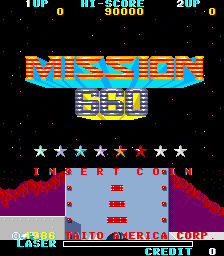
Arcade — EmulatorJS controls
Default Player 1 keyboard mapping. Change keys in Controller Settings.
| Console button | Keyboard |
|---|---|
| ↑ / ↓ / ← / → | ↑ / ↓ / ← / → |
| RetroPad A / B / X / Y | Z / X / A / S |
| L / R | Q / E |
| Insert coin | V |
| START | Enter |
Open Controller Settings to configure your keyboard or gamepad. Touch controls are available on mobile.
How to Play Mission 660 (US)
Quick start
- Move into line with the opening formation.
- Fire while avoiding incoming enemies.
- Reposition for the next wave.
- Keep landing hits on the large ship.
Controls
Move the craft with the joystick and use Fire to shoot. Keep a clear route around the changing formations while maintaining hits on the large target.
Mission 660 (US) — About this game
Mission 660 (US) sends the player’s spacecraft through changing waves of enemy ships. Sustained firing clears formations before the larger ship arrives, where several hits are needed to finish the encounter. Defeating it starts another cycle. Alongside ordinary fighters, unusual mouse, cat and skull shapes make the next target’s movement worth watching rather than assuming every wave behaves alike.
Cheats
No cheats have been added for this edition.
Player verification and sources
Browser play was reviewed before this edition was published in the catalogue. The date below is the catalogue publication date, not the game’s original release date.
- Browser test and catalogue publication date
- Browsers and devices
- PC: Chrome, Edge and Firefox. Mobile: Chrome on Android and Safari on iPhone and iPad.
- Player engine and core
- EmulatorJS 4.3.0-pre · arcade
- Tested by
- rwEmulator
Sources and editorial basis
rwEmulator reviews edition metadata, release information, game manuals and first-hand browser-play notes. Available manuals are linked below; the editorial policy explains how facts are checked and corrections are handled.