More browsing paths
Play Macho Mouse (English) Online
Macho Mouse
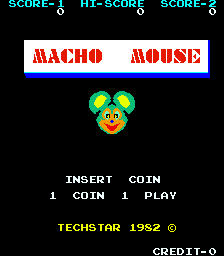
Play Macho Mouse online. Mark the maze with mouse pictures and use jumping to briefly stun pursuing cats.
Browser play
Arcade — EmulatorJS controls
Default Player 1 keyboard mapping. Change keys in Controller Settings.
| Console button | Keyboard |
|---|---|
| ↑ / ↓ / ← / → | ↑ / ↓ / ← / → |
| RetroPad A / B / X / Y | Z / X / A / S |
| L / R | Q / E |
| Insert coin | V |
| START | Enter |
Open Controller Settings to configure your keyboard or gamepad. Touch controls are available on mobile.
How to Play Macho Mouse
Quick start
- Move through an unmarked corridor.
- Watch the cats approaching the next junction.
- Jump to stun them when the route becomes crowded.
- Continue marking the remaining passages.
Controls
Directional control: move through the maze. Jump action: leap and briefly stun the cats.
Macho Mouse — About this game
Macho Mouse fills its maze with pictures of the player’s mouse as it travels through the corridors. Cats patrol the same passages, turning an unfinished section into a route that must be approached at the right moment. Jumping briefly stuns the cats, providing an opening to move through a crowded part of the maze. The useful rhythm is to keep marking the floor while watching the next junction, then use that short interruption before the pursuers recover.
Cheats
No cheats have been added for this edition.
Player verification and sources
Browser play was reviewed before this edition was published in the catalogue. The date below is the catalogue publication date, not the game’s original release date.
- Browser test and catalogue publication date
- Browsers and devices
- PC: Chrome, Edge and Firefox. Mobile: Chrome on Android and Safari on iPhone and iPad.
- Player engine and core
- EmulatorJS 4.3.0-pre · arcade
- Tested by
- rwEmulator
Sources and editorial basis
rwEmulator reviews edition metadata, release information, game manuals and first-hand browser-play notes. Available manuals are linked below; the editorial policy explains how facts are checked and corrections are handled.