More browsing paths
Play Mad Crasher (English) Online
Mad Crasher
Play Mad Crasher online. Watch the suspended road ahead, jump gaps and shoot vehicles obstructing the route.
Browser play
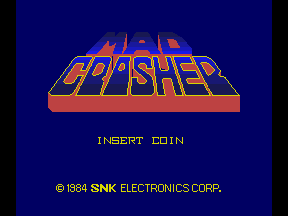
Arcade — EmulatorJS controls
Default Player 1 keyboard mapping. Change keys in Controller Settings.
| Console button | Keyboard |
|---|---|
| ↑ / ↓ / ← / → | ↑ / ↓ / ← / → |
| RetroPad A / B / X / Y | Z / X / A / S |
| L / R | Q / E |
| Insert coin | V |
| START | Enter |
Open Controller Settings to configure your keyboard or gamepad. Touch controls are available on mobile.
How to Play Mad Crasher
Quick start
- Guide the vehicle along the road.
- Watch the diagonal approach for a gap.
- Jump across it and fire at obstructing vehicles.
- Collect a useful pickup when the route allows it.
Controls
Directional control: guide the vehicle. Jump action: cross road gaps. Fire action: shoot the opposing vehicles.
Mad Crasher — About this game
Mad Crasher follows a futuristic vehicle along roads suspended in the air. The route scrolls diagonally, placing gaps, other vehicles and pickups in the same approach. Jumping crosses broken sections, while gunfire provides a way to deal with opposition before it blocks the road. Bonuses and power-ups reward useful detours, but leaving the safe route at the wrong moment remains dangerous. Watching the next road section helps make a jump or attack part of the advance instead of a reaction after the gap arrives.
Mad Crasher Game manuals
Cheats
No cheats have been added for this edition.
Player verification and sources
Browser play was reviewed before this edition was published in the catalogue. The date below is the catalogue publication date, not the game’s original release date.
- Browser test and catalogue publication date
- Browsers and devices
- PC: Chrome, Edge and Firefox. Mobile: Chrome on Android and Safari on iPhone and iPad.
- Player engine and core
- EmulatorJS 4.3.0-pre · arcade
- Tested by
- rwEmulator
Sources and editorial basis
rwEmulator reviews edition metadata, release information, game manuals and first-hand browser-play notes. Available manuals are linked below; the editorial policy explains how facts are checked and corrections are handled.