More browsing paths
Play Millipede (English) Online
Millipede
Play Millipede online. Use the trackball to keep a clear firing lane and detonate DDT when insects gather nearby.
Browser play
Arcade — EmulatorJS controls
Default Player 1 keyboard mapping. Change keys in Controller Settings.
| Console button | Keyboard |
|---|---|
| ↑ / ↓ / ← / → | ↑ / ↓ / ← / → |
| RetroPad A / B / X / Y | Z / X / A / S |
| L / R | Q / E |
| Insert coin | V |
| START | Enter |
Open Controller Settings to configure your keyboard or gamepad. Touch controls are available on mobile.
How to Play Millipede
Quick start
- Move the archer with the trackball.
- Fire upward at an approaching segment.
- Shift away from an insect entering the lower garden.
- Shoot a DDT container when enemies enter its surrounding area.
Controls
Move within the lower garden using the trackball. Fire shoots upward; hold it for repeated shots. Shoot a DDT container to create a cloud that removes enemies and mushrooms within its area.
Millipede — About this game
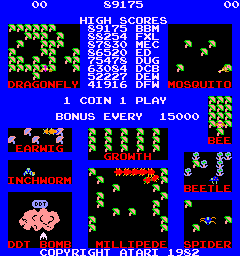
Millipede sends the archer through a crowded lower garden while the segmented creature descends above. Hitting a body segment creates a mushroom and can split the creature into separately moving parts. Additional insects interrupt the firing lane, including earwigs that poison mushrooms and cause a dangerous downward charge. Shooting a DDT container creates a clearing cloud, offering a useful way to handle a group rather than another isolated shot.
Millipede Game manuals
Cheats
No cheats have been added for this edition.
Player verification and sources
Browser play was reviewed before this edition was published in the catalogue. The date below is the catalogue publication date, not the game’s original release date.
- Browser test and catalogue publication date
- Browsers and devices
- PC: Chrome, Edge and Firefox. Mobile: Chrome on Android and Safari on iPhone and iPad.
- Player engine and core
- EmulatorJS 4.3.0-pre · arcade
- Tested by
- rwEmulator
Sources and editorial basis
rwEmulator reviews edition metadata, release information, game manuals and first-hand browser-play notes. Available manuals are linked below; the editorial policy explains how facts are checked and corrections are handled.