More browsing paths
Play Mighty Monkey (English) Online
Mighty Monkey
Play Mighty Monkey online. Switch between a shooting monkey and a fire-eating dragon form while crossing enemy-filled skies.
Browser play
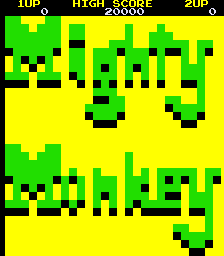
Arcade — EmulatorJS controls
Default Player 1 keyboard mapping. Change keys in Controller Settings.
| Console button | Keyboard |
|---|---|
| ↑ / ↓ / ← / → | ↑ / ↓ / ← / → |
| RetroPad A / B / X / Y | Z / X / A / S |
| L / R | Q / E |
| Insert coin | V |
| START | Enter |
Open Controller Settings to configure your keyboard or gamepad. Touch controls are available on mobile.
How to Play Mighty Monkey
Quick start
- Use the ordinary form to shoot enemy formations.
- Watch for fireballs that resist the shot.
- Transform to consume that fire.
- Change back when shooting is needed and avoid other enemies.
Controls
Fire shoots in the ordinary monkey form. Transform changes to the dragon-like form, which cannot shoot but can consume enemy fireballs. It remains vulnerable to other threats.
Mighty Monkey — About this game
Mighty Monkey sends the Monkey King across the sky on a cloud, shooting at approaching enemy formations. Some threats change into fireballs that ordinary attacks cannot destroy. Transforming into a dragon-like head lets the hero consume that fire, but removes the ability to shoot and does not protect against every other enemy. That trade-off makes switching back as important as transforming in the first place. Look ahead for the kind of threat entering the narrow flight area, then choose a form that handles it while leaving enough room to avoid the next obstacle.
Cheats
Infinite Credits
1 "开启", 0, 0x84A0, 0x09Complete Stage
1 "开启", 0, 0x84F1, 0x00Rapid Attack
1 "开启", 0, 0x84A5, 0x00Infinite Lives PL1
1 "开启", 0, 0x84F0, 0x06Infinite Lives PL2
1 "开启", 0, 0x84C8, 0x06Player verification and sources
Browser play was reviewed before this edition was published in the catalogue. The date below is the catalogue publication date, not the game’s original release date.
- Browser test and catalogue publication date
- Browsers and devices
- PC: Chrome, Edge and Firefox. Mobile: Chrome on Android and Safari on iPhone and iPad.
- Player engine and core
- EmulatorJS 4.3.0-pre · arcade
- Tested by
- rwEmulator
Sources and editorial basis
rwEmulator reviews edition metadata, release information, game manuals and first-hand browser-play notes. Available manuals are linked below; the editorial policy explains how facts are checked and corrections are handled.