More browsing paths
Play Moon Alien Part 2 (English) Online
Moon Alien Part 2
Play Moon Alien Part 2 online. Defend the Nostromo with lateral movement and missiles while watching its energy gauge.
Browser play
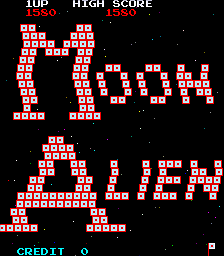
Arcade — EmulatorJS controls
Default Player 1 keyboard mapping. Change keys in Controller Settings.
| Console button | Keyboard |
|---|---|
| ↑ / ↓ / ← / → | ↑ / ↓ / ← / → |
| RetroPad A / B / X / Y | Z / X / A / S |
| L / R | Q / E |
| Insert coin | V |
| START | Enter |
Open Controller Settings to configure your keyboard or gamepad. Touch controls are available on mobile.
How to Play Moon Alien Part 2
Quick start
- Start and move left or right beneath the alien formation.
- Press Fire to launch missiles and avoid incoming attacks.
- Watch aliens breaking formation and adjust your position.
- Monitor energy while clearing each screen.
Controls
Left/Right: slide the Nostromo spacecraft horizontally. Fire: launch missiles. The energy gauge is a status display, not a separate action; running out destroys the craft.
Moon Alien Part 2 — About this game
Moon Alien Part 2 places the Nostromo spacecraft beneath an alien formation. Slide left and right to avoid attacks and fire missiles at the descending enemies. Targets are worth different amounts according to their colour and whether they are still in formation or attacking. The energy gauge adds another survival concern: an empty gauge destroys your craft. Follow both the enemy movement and your remaining energy as you work through successive screens.
Moon Alien Part 2 Game manuals
Cheats
Infinite Lives
1 "开启", 0, 0x821D, 0x05Infinite Energy
1 "开启", 0, 0x8080, 0xFFPlayer verification and sources
Browser play was reviewed before this edition was published in the catalogue. The date below is the catalogue publication date, not the game’s original release date.
- Browser test and catalogue publication date
- Browsers and devices
- PC: Chrome, Edge and Firefox. Mobile: Chrome on Android and Safari on iPhone and iPad.
- Player engine and core
- EmulatorJS 4.3.0-pre · arcade
- Tested by
- rwEmulator
Sources and editorial basis
rwEmulator reviews edition metadata, release information, game manuals and first-hand browser-play notes. Available manuals are linked below; the editorial policy explains how facts are checked and corrections are handled.